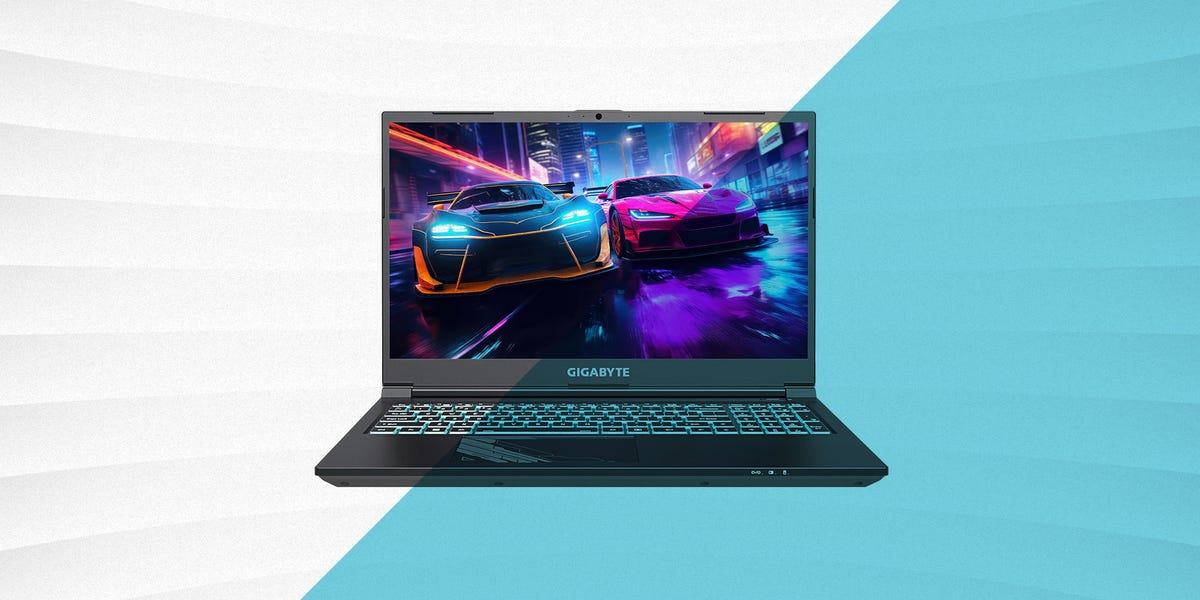
Looking for a gaming laptop under $1000? Good news: you no longer need to sell a kidney, auction off your childhood Pokémon cards, or convince yourself that “low graphics settings build character.” Today’s affordable gaming laptops can run competitive games smoothly, handle modern AAA titles at 1080p, and double as school, work, streaming, and creative machines.
The trick is knowing where the real value is hiding. Under $1000, the best gaming laptops usually live in the sweet spot of NVIDIA GeForce RTX 4050, RTX 4060, or newer RTX 5050 graphics, 16GB of RAM, a fast SSD, and a display with at least a 144Hz refresh rate. You may not get a luxury aluminum chassis or a screen that looks like it was blessed by a Hollywood colorist, but you can absolutely get strong gaming performance without torching your budget.
This guide breaks down the eight best gaming laptops under $1000, including what each model does best, who should buy it, and what compromises to expect. Prices change often, so treat the dollar figures as typical sale or street-price guidance rather than permanent law carved into a silicon wafer.
What to Look for in the Best Gaming Laptop Under $1000
Before we jump into the picks, let’s quickly define what “good” means in this price range. A laptop under $1000 should deliver smooth 1080p gaming, reliable cooling, decent keyboard comfort, and enough memory and storage for real-world use. A great budget gaming laptop also avoids the classic trap of looking powerful on paper while quietly cutting corners where it hurts.
GPU Comes First
The graphics card is the heart of any gaming laptop. For most buyers, an RTX 4050 is the entry point worth considering, while an RTX 4060 or RTX 5050 is better if you can find one on sale. These GPUs support modern features such as ray tracing and AI-powered upscaling, which can help games run smoother without making visuals look like a potato with shadows.
16GB RAM Is the Comfortable Minimum
Some cheaper laptops still ship with 8GB of memory. That is fine for web browsing and light esports titles, but modern gaming is happier with 16GB. If a laptop has 8GB but includes an upgradeable slot, it can still be a smart buy. Just budget for a RAM upgrade.
Storage Matters More Than You Think
A 512GB SSD fills up fast once you install Windows, Steam, a few launchers, and one enormous game that apparently includes every rock texture on Earth. A 1TB SSD is ideal, but 512GB is acceptable if the laptop has an extra M.2 slot or you are comfortable uninstalling games you are not actively playing.
The 8 Best Gaming Laptops Under $1000
1. MSI Katana 15 HX – Best Overall Performance Pick
The MSI Katana 15 HX is one of the strongest affordable gaming laptops when it drops below the $1000 mark. Configurations with an Intel Core i7-14650HX, NVIDIA GeForce RTX 5050 graphics, 16GB DDR5 memory, and a 512GB SSD give it the kind of spec sheet budget gamers dream about while pretending they are “just browsing.”
Its main appeal is raw performance. The Core i7 HX-series processor offers serious multitasking muscle, while the RTX 5050 makes the Katana feel more future-ready than older RTX 3050 machines. It is especially attractive for players who want high frame rates in games like Fortnite, Valorant, Apex Legends, Counter-Strike 2, and Call of Duty at 1080p.
The 144Hz display is fast enough for competitive gaming, though not the most colorful panel in the world. Think “practical gaming monitor,” not “digital art gallery.” Battery life is also what you would expect from a performance-focused gaming laptop: good enough for basic unplugged tasks, but gaming should happen near an outlet.
Best for: gamers who want the most power possible under $1000.
Watch out for: average display brightness and modest battery life.
2. Acer Nitro V 16 AI – Best Value for Most Gamers
The Acer Nitro V 16 AI is one of the smartest buys in the budget gaming category. It brings a roomy 16-inch display, modern RTX graphics options, and a practical design that works for both gaming and everyday productivity. For students, casual streamers, and gamers who want one machine for everything, it is a very easy laptop to recommend.
The 16-inch 1920 x 1200 display gives you a little extra vertical space compared with standard 1080p screens. That makes web browsing, writing, schoolwork, and editing feel less cramped. Depending on the configuration, you may find RTX 4050 or RTX 5050 versions under $1000 during sales, and both can deliver solid 1080p gaming when settings are managed wisely.
Cooling is generally reasonable for the class, and the laptop has the “budget gamer” look without going full spaceship dashboard. It is powerful enough for modern games, but still practical enough to bring to class or a coffee shop without everyone assuming you are about to launch a cyberattack.
Best for: buyers who want the best all-around balance of price, screen size, and gaming ability.
Watch out for: speakers that may make headphones feel less optional.
3. Lenovo LOQ 15 – Best Budget Gaming Laptop for Beginners
The Lenovo LOQ 15 has become a favorite among budget gamers because it focuses on the essentials: solid performance, comfortable input, sensible design, and frequent sale pricing. It is not flashy, but that is part of the charm. It shows up, does the job, and does not demand RGB applause.
Common sub-$1000 configurations include AMD Ryzen 5 or Intel Core processors paired with an RTX 4050, 16GB of RAM, and a 512GB SSD. That combination is ideal for 1080p gaming. Esports titles can run at high frame rates, while heavier games may require medium settings or help from DLSS.
The LOQ 15 is also a smart pick for first-time PC gamers because it avoids unnecessary gimmicks. The keyboard is comfortable, the chassis is sturdy enough for daily use, and Lenovo’s gaming software is relatively straightforward. If your goal is to get into PC gaming without accidentally enrolling in a graduate course on laptop thermals, the LOQ is friendly territory.
Best for: first-time gaming laptop buyers and students.
Watch out for: sale prices vary widely by configuration.
4. Acer Nitro V 15 – Best RTX 4060 Deal Under $1000
The Acer Nitro V 15 is the laptop to hunt when you want RTX 4060 power under $1000. Not every configuration lands below that line, but when it does, it becomes one of the most compelling affordable gaming laptops available.
A strong configuration includes a 13th Gen Intel Core i7 processor, RTX 4060 graphics, 16GB DDR5 memory, and a 512GB SSD. The RTX 4060 is a meaningful step up from entry-level GPUs, especially for players who want higher settings, smoother frame rates, and better longevity. If you play demanding games like Cyberpunk 2077, Hogwarts Legacy, Baldur’s Gate 3, or Starfield, the extra GPU muscle helps.
The Nitro V 15 usually includes a 15.6-inch Full HD display with a fast refresh rate. It is not a luxury machine, but it punches hard for the price. If you find the RTX 4060 model at $999 or less, move quickly. Budget gaming laptop deals have a funny habit of vanishing the moment you start comparing backpack dimensions.
Best for: buyers who want the strongest graphics card possible near $1000.
Watch out for: 512GB storage may feel tight for large game libraries.
5. HP Victus 15 – Best Clean Design Under $1000
The HP Victus 15 is a great option for gamers who want a laptop that does not scream “I have three Discord servers open at all times.” Its clean design makes it suitable for school, work, and shared spaces, while RTX 4050 configurations deliver dependable 1080p gaming.
Popular versions include AMD Ryzen 7 or Intel Core i5 processors, NVIDIA GeForce RTX 4050 graphics, 16GB of memory, and either 512GB or 1TB of SSD storage. The 144Hz Full HD display is a good fit for fast-paced games, and the overall experience is smooth enough for most casual and mid-level players.
The Victus line is also easy to recommend to parents shopping for a teen gamer or students who need a laptop that can handle homework by day and boss fights by night. It is not the most premium build in the category, but it feels mature, simple, and useful.
Best for: buyers who want gaming performance in a subtle design.
Watch out for: hinges and chassis feel more budget than premium.
6. ASUS TUF Gaming A16 – Best Durable Budget Pick
The ASUS TUF Gaming A16 is built for buyers who want a tougher-feeling gaming laptop without jumping into premium pricing. When RTX 4050 configurations fall under $1000, it becomes a strong choice for gamers who care about durability, keyboard feel, and a little more screen space.
A typical value configuration may include an AMD Ryzen 7 processor, RTX 4050 graphics, 16GB DDR5 RAM, and a 512GB SSD. The 16-inch display gives games and productivity apps more breathing room, while the TUF design language keeps things rugged without being cartoonish.
The A16 is especially good for players who use their laptop in different locations: dorm rooms, family rooms, gaming desks, and the occasional kitchen table command center. Like most budget gaming laptops, it performs best when plugged in and placed on a hard surface with proper airflow.
Best for: users who want a sturdier-feeling machine for daily gaming and travel.
Watch out for: some configurations sit just over $1000 unless discounted.
7. MSI Thin 15 – Best Lightweight Affordable Gaming Laptop
The MSI Thin 15 is for gamers who want something more portable than the average budget gaming brick. With configurations featuring an Intel Core i5-13420H, RTX 4050 graphics, 16GB memory, and a 512GB SSD, it often lands comfortably below $1000.
As the name suggests, portability is the main attraction. It is easier to carry than chunkier gaming laptops, making it useful for students, commuters, and anyone who does not want their backpack to feel like it contains a small anvil. The RTX 4050 is capable enough for 1080p gaming, especially in competitive and moderately demanding titles.
The trade-off is that thinner budget gaming laptops usually have tighter thermal limits. That does not make the Thin 15 bad; it simply means you should not expect it to outperform larger machines with more aggressive cooling. It is best for players who value convenience as much as frame rates.
Best for: gamers who need an affordable, portable laptop.
Watch out for: performance may trail thicker laptops during long gaming sessions.
8. Dell G15 – Best Sale-Hunter Pick
The Dell G15 is a classic budget gaming laptop: thick, practical, powerful when discounted, and not remotely interested in winning a beauty pageant. But when you find an RTX 4050 or RTX 4060 configuration under $1000, it can be an excellent buy.
Dell G15 configurations often include Intel HX-series processors, 16GB of memory, and fast SSD storage. The higher-end RTX 4060 versions are especially worth watching during major sales. The chassis is heavier than some competitors, but that extra size can help with cooling and sustained performance.
This is the laptop for buyers who do not mind a little bulk if the performance is right. It is a good desktop-replacement choice for people who mostly game at home but still want the option to move their setup when needed. Basically, it is portable in the same way a microwave is portable: technically yes, but plan accordingly.
Best for: gamers who watch deals and want strong sustained performance.
Watch out for: weight, thickness, and price fluctuations.
Quick Comparison: Which Budget Gaming Laptop Should You Choose?
| Laptop | Best For | Typical GPU | Main Strength |
|---|---|---|---|
| MSI Katana 15 HX | Maximum performance | RTX 5050 | Powerful CPU and GPU combo |
| Acer Nitro V 16 AI | Best overall value | RTX 4050 / RTX 5050 | Large 16-inch display |
| Lenovo LOQ 15 | Beginners and students | RTX 4050 | Balanced design and pricing |
| Acer Nitro V 15 | RTX 4060 bargain hunters | RTX 4060 | Strong graphics performance |
| HP Victus 15 | Clean, subtle style | RTX 4050 | Simple design and solid specs |
| ASUS TUF Gaming A16 | Durability-minded buyers | RTX 4050 | Rugged feel and roomy screen |
| MSI Thin 15 | Portable gaming | RTX 4050 | Lightweight design |
| Dell G15 | Sale hunters | RTX 4050 / RTX 4060 | Strong performance when discounted |
Buying Advice for Affordable Gaming Laptops
Do Not Overpay for an RTX 3050
An RTX 3050 laptop can still play many games, but in 2026, it should be priced very aggressively. If an RTX 3050 machine costs close to an RTX 4050 model, choose the RTX 4050. You will get better performance, newer features, and more breathing room for future games.
Look for Upgradeable RAM and Storage
Many budget gaming laptops keep costs low with smaller SSDs or limited memory. A laptop with 16GB RAM and 512GB storage is fine today, but upgrade options can extend its life. Before buying, check whether the RAM is soldered, whether there is an extra M.2 slot, and whether opening the laptop affects warranty terms.
Expect Battery Life to Be Average
Gaming laptops are not famous for marathon battery life. Even the best affordable gaming laptops drain quickly while gaming. For class notes, browsing, and video playback, some models can last several hours. For actual gaming, plug in the charger unless you enjoy watching your battery percentage fall like a dramatic movie villain.
144Hz Is the Minimum Display Goal
A 144Hz refresh rate makes games feel smoother, especially shooters and racing titles. Higher refresh rates are nice, but panel quality also matters. A dim 180Hz screen is not automatically better than a brighter, more colorful 144Hz display. Balance speed with brightness and color whenever possible.
Real-World Experience: Living With a Gaming Laptop Under $1000
Using an affordable gaming laptop is all about smart expectations. These machines are not trying to replace a $3000 desktop setup with liquid cooling and enough RGB lighting to guide aircraft. They are built to give regular people access to PC gaming at a reasonable price. And honestly, that is what makes them fun.
The first thing you notice is how much performance you can get when you choose carefully. A laptop with an RTX 4050, RTX 4060, or RTX 5050 can make games feel smooth and responsive at 1080p. Competitive titles like Valorant, League of Legends, Fortnite, Rocket League, and Counter-Strike 2 are exactly where these laptops shine. You can usually push high frame rates without turning every setting into visual oatmeal.
AAA games require a little more strategy. Instead of blindly choosing Ultra settings, start with Medium or High, enable DLSS when available, and turn down demanding options like ray tracing, shadows, and volumetric effects. This is not “settling.” This is performance tuning, which sounds much more professional and gives you permission to feel clever.
Heat is another reality. Budget gaming laptops can get warm, especially near the keyboard and exhaust vents. The best habit is simple: game on a desk, not on a blanket, pillow, or your lap. Soft surfaces block airflow and turn your laptop into a very expensive grilled cheese press. A basic cooling pad can help, but even raising the back of the laptop slightly can improve airflow.
Noise is also part of the package. When fans spin up during a demanding game, they are not being rude; they are saving your hardware from a tiny thermal meltdown. Headphones solve most of the problem and also make games more immersive. Built-in speakers on budget gaming laptops are usually fine for YouTube and casual use, but they rarely deliver deep bass or cinematic punch.
Storage management becomes a lifestyle. With a 512GB SSD, you may need to rotate games. Keep your favorites installed and move older titles to an external SSD or uninstall them until nostalgia attacks. If the laptop supports a second internal SSD, that upgrade can make the machine feel dramatically more flexible.
For school and work, these laptops are surprisingly useful. The same CPU and GPU that handle games can also help with video editing, photo work, coding, streaming, and multitasking. The downside is portability. Some models are heavy, chargers can be bulky, and battery life is rarely ultrabook-level. If you carry your laptop daily, weight should matter almost as much as frame rates.
The best experience comes from buying for your actual habits. If you mostly play esports games, a Lenovo LOQ 15, HP Victus 15, or MSI Thin 15 may be perfect. If you want more demanding single-player games, prioritize an RTX 4060 or RTX 5050 model like the Acer Nitro V 15, Acer Nitro V 16 AI, or MSI Katana 15 HX. If you mostly game at home, a heavier Dell G15 may be completely fine. If you travel often, a lighter machine makes more sense.
In short, a gaming laptop under $1000 is not about perfection. It is about getting the right compromises. Choose the best GPU you can afford, insist on 16GB RAM if possible, avoid overpriced older graphics cards, and keep an eye on sales. Do that, and you can get a machine that handles homework, work calls, late-night gaming sessions, and “just one more match” with surprising confidence.
Conclusion
The best gaming laptops under $1000 prove that affordable does not have to mean disappointing. The MSI Katana 15 HX is the performance standout, the Acer Nitro V 16 AI is the best all-around value, and the Lenovo LOQ 15 is one of the friendliest choices for beginners. Meanwhile, the Acer Nitro V 15, HP Victus 15, ASUS TUF Gaming A16, MSI Thin 15, and Dell G15 each offer a different flavor of budget gaming goodness.
Your best choice depends on what matters most: maximum graphics power, portability, durability, design, or sale pricing. But if you stick to modern RTX graphics, 16GB of RAM, a fast SSD, and a high-refresh display, you can land a capable gaming laptop without breaking the $1000 barrier. Your wallet survives. Your games run. Everybody wins.