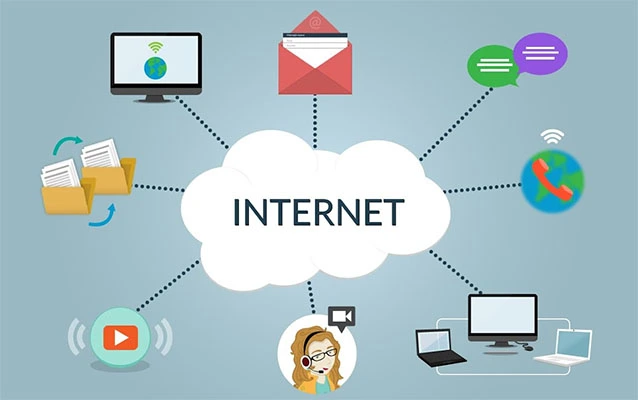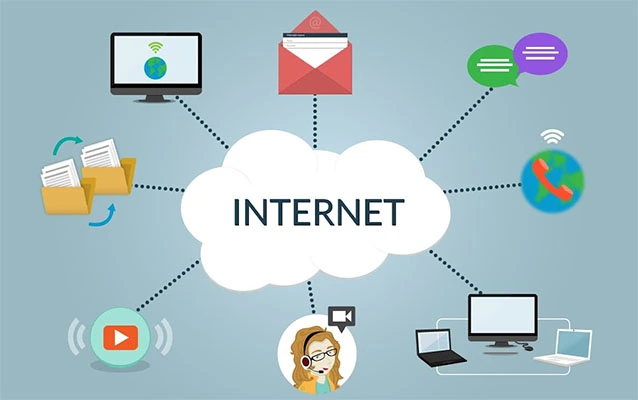
Software as a Service, better known as SaaS, is the reason your business can run payroll in pajamas, manage customers from a coffee shop, and collaborate on documents without emailing seventeen versions named “final_FINAL_really_final.docx.” In the simplest terms, SaaS is software delivered over the internet. Instead of buying a program, installing it on one computer, updating it manually, and praying it does not crash during tax season, users subscribe to an application hosted and maintained by a provider.
That sounds simple, but SaaS has changed nearly every corner of modern work. Sales teams use SaaS customer relationship management platforms. Designers use cloud-based creative tools. Accountants use online finance systems. Schools, hospitals, retailers, startups, and enterprise giants all rely on SaaS applications every day. It has become so normal that many people do not even think of it as “cloud computing.” They just call it work.
This guide explains what SaaS is, how it works, why companies love it, where it can go wrong, and how to choose the right SaaS tools without turning your tech stack into a monthly subscription jungle.
What Is SaaS?
SaaS stands for Software as a Service. It is a cloud-based software delivery model where an application is hosted by a provider and accessed by users through the internet, usually via a browser or mobile app. The provider manages the servers, storage, networking, software updates, security patches, uptime, and much of the technical heavy lifting.
In the old software world, a company often bought licenses, installed software on local machines, maintained servers, hired IT staff to patch everything, and replaced systems when they became outdated. SaaS flips that model. You usually pay monthly or annually, log in through an account, and start using the service. No installation marathon. No dusty server closet. No mysterious “Version 8.2.4b” CD hiding in a drawer.
How SaaS Works Behind the Scenes
Most SaaS products run on cloud infrastructure. The software provider hosts the application in data centers or public cloud environments. Users connect through secure internet connections, authenticate their identity, and access the tools they are allowed to use.
Many SaaS platforms use a multi-tenant architecture. That means one core application can serve many customers while keeping each customer’s data logically separated. Think of it like an apartment building: many residents share the same foundation, elevator, and plumbing system, but each apartment has its own locked door. This model helps providers update the product faster, reduce infrastructure costs, and scale capacity as customer demand grows.
SaaS providers typically handle application maintenance, bug fixes, performance improvements, infrastructure scaling, backups, and feature releases. Customers focus on using the software rather than operating it. Of course, customers still have responsibilities too, such as managing user access, training employees, protecting passwords, setting permissions correctly, and reviewing vendor contracts.
SaaS vs. IaaS vs. PaaS: What Is the Difference?
SaaS is one of the three classic cloud service models, along with Infrastructure as a Service and Platform as a Service.
SaaS: Ready-to-Use Software
SaaS gives users a finished application. Examples include customer relationship management tools, project management apps, email platforms, accounting systems, HR software, design platforms, and help desk tools. The user does not manage the operating system, runtime, or infrastructure.
PaaS: A Platform for Building Applications
Platform as a Service gives developers an environment for building, testing, and deploying applications. The provider manages much of the infrastructure, while developers focus on code, data, and application logic.
IaaS: Cloud Infrastructure on Demand
Infrastructure as a Service provides virtual machines, storage, networks, and computing resources. Customers have more control, but they also have more responsibility. It is powerful, flexible, and occasionally the reason someone in IT keeps three monitors and a very large coffee mug.
Common Examples of SaaS
SaaS is everywhere. In business, common SaaS examples include CRM platforms, marketing automation software, cloud accounting tools, video meeting apps, file storage services, team chat platforms, e-commerce tools, analytics dashboards, and human resources systems.
For individuals, SaaS includes online photo editing tools, note-taking apps, streaming management dashboards, cloud storage, online learning platforms, and productivity suites. If you can open a browser, log in, and use a full software product without installing a traditional desktop program, there is a good chance you are using SaaS.
Why SaaS Became So Popular
The rise of SaaS is not just a technology story. It is a business story. Companies want speed, flexibility, predictable costs, and tools that can grow with them. SaaS checks many of those boxes.
Lower Upfront Costs
Traditional software often required large license purchases, hardware investments, implementation teams, and ongoing maintenance. SaaS usually uses subscription pricing, which reduces upfront cost and makes software easier to adopt. A small business can start with a basic plan instead of making a giant capital investment.
Fast Deployment
SaaS tools can often be deployed in days or weeks, not months. Some are ready in minutes. That speed matters when a company needs a new support system, sales pipeline, analytics dashboard, or collaboration tool quickly.
Automatic Updates
With SaaS, updates happen in the background. Users get new features, security patches, and performance improvements without manually installing anything. The downside is that your favorite button may move one day, causing mild office drama. The upside is that the software keeps improving.
Scalability
SaaS makes it easier to add users, increase storage, expand features, or upgrade plans. A startup with five employees can begin small, then grow into enterprise features as the business expands.
Remote Access
Because SaaS runs online, employees can work from different locations and devices. This supports remote work, hybrid teams, field employees, global operations, and anyone who has ever answered a Slack message from an airport gate.
The Business Benefits of SaaS
For companies, SaaS can improve productivity, collaboration, visibility, and operational efficiency. Instead of each department using isolated software installed on separate machines, cloud applications can centralize data and workflows.
A sales team can track leads in a CRM. Marketing can connect campaigns to revenue. Finance can monitor invoices and subscriptions. Customer support can review ticket history. Leadership can view dashboards instead of asking for spreadsheets that arrive three days later with six different color schemes.
SaaS also gives businesses access to enterprise-grade tools that once required major infrastructure. Smaller companies can now use advanced analytics, automation, security monitoring, artificial intelligence features, and integrated communication platforms without building everything themselves.
The Risks and Challenges of SaaS
SaaS is powerful, but it is not magic. It solves many problems and creates a few new ones.
Subscription Sprawl
SaaS is easy to buy, which is both wonderful and dangerous. Over time, companies may accumulate dozens or hundreds of subscriptions. Some are used daily. Others are forgotten, quietly billing the company like tiny digital raccoons living in the budget.
Vendor Lock-In
Moving away from a SaaS platform can be difficult if your data, workflows, integrations, and employees are deeply tied to it. Before adopting a tool, businesses should understand export options, contract terms, integration flexibility, and migration support.
Security and Privacy Concerns
Because SaaS applications store and process important data, security matters. Companies should evaluate encryption, access controls, compliance certifications, audit logs, backup practices, breach notification policies, and identity management features.
Internet Dependence
SaaS needs reliable internet access. If your connection fails, your cloud tools may become temporarily unavailable. Some applications offer offline modes, but many depend on live connectivity.
Limited Customization
SaaS tools are designed to serve many customers. That standardization keeps costs lower and updates easier, but it may limit deep customization. Businesses with unusual workflows may need configuration, integrations, or custom development.
SaaS Security: What Buyers Should Check
Security is one of the most important parts of SaaS evaluation. A provider may manage the infrastructure, but customers are still responsible for using the platform safely. This is often called the shared responsibility model.
Before choosing a SaaS provider, ask practical questions: Does the platform support multi-factor authentication? Can admins set role-based permissions? Are logs available for security review? Does the vendor provide data encryption in transit and at rest? Can users be removed quickly when employees leave? Are backups tested? Is there documentation for compliance needs such as SOC 2, ISO 27001, HIPAA, or GDPR when relevant?
Good SaaS security is not just about vendor promises. It also depends on customer behavior. Weak passwords, excessive admin privileges, unmanaged integrations, and abandoned user accounts can create risk even in a well-built platform.
SaaS Pricing Models Explained
SaaS pricing is usually subscription-based, but the details vary widely. Understanding pricing models helps businesses avoid surprise bills and choose tools that match actual usage.
Per-User Pricing
Customers pay based on the number of users or seats. This model is simple and common for collaboration, CRM, HR, and productivity tools. The challenge is that costs rise as teams grow.
Tiered Pricing
Vendors offer several plans, such as Basic, Pro, Business, and Enterprise. Higher tiers include more features, support, storage, automation, or security controls. This model is easy to understand but can push companies into expensive tiers for one must-have feature.
Usage-Based Pricing
Customers pay based on consumption, such as API calls, storage, transactions, messages, or compute usage. This can be fair and scalable, but it requires monitoring. Nobody enjoys discovering that one enthusiastic integration has been throwing a billing party all month.
Freemium Pricing
A free plan gives users basic access, while paid plans unlock advanced features. Freemium can be great for testing a product, but businesses should evaluate whether the paid version is truly worth adopting long term.
Hybrid Pricing
Many SaaS companies combine seat-based, usage-based, feature-based, and tiered pricing. This can fit complex products but may require careful review before signing a contract.
How to Choose the Right SaaS Product
The best SaaS product is not always the one with the flashiest website, biggest feature list, or most enthusiastic sales demo. The right choice depends on your business goals, team size, budget, security requirements, and existing workflows.
Start by defining the problem clearly. Are you trying to reduce manual work, improve reporting, speed up customer support, manage inventory, automate marketing, or centralize documents? Once the problem is clear, compare tools based on fit rather than hype.
Next, test usability. A powerful platform that nobody understands will become expensive shelfware. Invite real users to try the product. Watch where they struggle. Ask whether the tool saves time or simply creates a shinier version of the old headache.
Then review integrations. SaaS tools rarely live alone. They need to connect with email, calendars, payment systems, analytics, identity providers, data warehouses, help desks, and other applications. Strong integrations can turn separate tools into a smooth workflow. Weak integrations can turn your team into professional copy-and-paste athletes.
Finally, inspect the contract. Review pricing changes, renewal terms, cancellation rules, data ownership, support levels, uptime commitments, and export options. A good SaaS decision includes both product fit and business protection.
SaaS Metrics Businesses Should Understand
If you are buying SaaS, you should understand cost and usage. If you are building SaaS, you need to understand performance metrics.
Monthly Recurring Revenue
Monthly recurring revenue, or MRR, measures predictable subscription revenue each month. It is a core metric for SaaS companies because recurring revenue is the heart of the model.
Annual Recurring Revenue
Annual recurring revenue, or ARR, annualizes subscription revenue. It is especially useful for B2B SaaS companies with annual contracts.
Churn Rate
Churn measures customers or revenue lost over a period. High churn can signal weak product fit, poor onboarding, pricing issues, bad support, or a market that is not as loyal as the pitch deck hoped.
Customer Acquisition Cost
Customer acquisition cost, or CAC, measures how much it costs to win a new customer. SaaS companies need CAC to make sense relative to lifetime value.
Net Revenue Retention
Net revenue retention shows whether existing customers spend more or less over time after expansions, downgrades, and churn. Strong net retention means customers are growing inside the product.
The Future of SaaS
SaaS is entering a new phase shaped by artificial intelligence, automation, vertical specialization, and stronger cost governance. Many SaaS platforms now include AI assistants, workflow automation, predictive analytics, natural language search, and agent-like features that help users complete tasks faster.
At the same time, buyers are becoming more disciplined. Companies are asking harder questions about return on investment, unused licenses, data security, vendor risk, and integration value. The era of buying every shiny SaaS tool is fading. The future belongs to software that proves its value, connects well with other systems, protects customer data, and helps teams do meaningful work with less friction.
Vertical SaaS is also growing. Instead of building broad tools for everyone, many companies create software for specific industries such as healthcare, construction, legal services, education, restaurants, logistics, real estate, or financial services. These products often win because they understand industry-specific workflows, regulations, language, and reporting needs.
Practical Experiences and Lessons from Using SaaS
One of the most useful lessons about SaaS is that adoption is not the same as success. A company can buy a great tool and still fail to get value from it if nobody owns the rollout. SaaS needs planning, training, governance, and ongoing review. Otherwise, the software becomes another tab in the browser, sitting between email and a playlist called “Focus Music That Is Somehow Not Helping.”
In real business use, the first experience with SaaS often feels exciting. The dashboard looks clean. The demo makes every workflow seem effortless. The sales team shows a perfect scenario where data flows beautifully from one department to another. Then real life enters the room wearing muddy shoes. Existing data is messy. Employees have habits. Integrations need configuration. Managers want custom reports. Someone forgets their password. Someone else asks if the system can “just do one tiny thing,” which is never tiny.
The best SaaS experiences usually come from starting small. Instead of launching every feature at once, successful teams define one or two important workflows and implement them carefully. For example, a company adopting a CRM might begin with lead tracking and follow-up reminders before adding forecasting, marketing automation, and advanced analytics. This gives users time to learn and gives administrators time to fix problems before they become company-wide folklore.
Another lesson is that clean data matters more than fancy features. A SaaS platform cannot create accurate reports from chaotic inputs. If customer names are duplicated, sales stages are inconsistent, or employees skip required fields, the dashboard will confidently display nonsense. It may be beautifully designed nonsense, but nonsense is still nonsense. Strong onboarding should include data rules, naming standards, permission settings, and accountability.
Security habits also matter. Many SaaS problems come from simple mistakes: too many admin accounts, weak passwords, old users who were never removed, or third-party apps connected without review. A good practice is to schedule regular access audits. Review who has admin rights, which integrations are active, what data is being shared, and whether multi-factor authentication is enforced. This may not sound glamorous, but neither does explaining a preventable security incident to leadership.
Cost control is another real-world lesson. SaaS subscriptions can start cheap and become expensive as teams grow. A tool that costs a few dollars per user may look harmless until hundreds of users, premium add-ons, storage upgrades, and annual renewals pile up. Businesses should track usage, remove inactive seats, consolidate overlapping tools, and review whether each platform still supports a clear business outcome.
The most valuable SaaS tools are the ones employees actually use because they make work easier. Great SaaS reduces confusion, saves time, improves decisions, and creates visibility. Poor SaaS adds logins, notifications, and meetings about why nobody updated the thing they were supposed to update. The difference is rarely just technology. It is leadership, process design, training, and choosing software that matches the way people truly work.
Conclusion
SaaS has become one of the most important software models in the modern economy because it combines accessibility, scalability, continuous updates, and subscription-based flexibility. It lets businesses use powerful applications without building and maintaining every piece of infrastructure themselves. From CRM and accounting to analytics, collaboration, security, and AI-powered automation, SaaS helps teams move faster and work smarter.
Still, SaaS should be chosen carefully. The best buyers look beyond the demo. They evaluate security, pricing, integrations, usability, vendor reliability, data ownership, and long-term fit. They also manage adoption after purchase, because software does not create value by merely existing. It creates value when people use it well.
In short, SaaS is not just software in the cloud. It is a new way to buy, deliver, improve, and experience technology. Used wisely, it can make a business more agile. Used carelessly, it can become a subscription buffet with a very scary receipt. Choose well, govern carefully, and let the cloud do the heavy liftingpreferably without letting your budget float away with it.