Note: This article is based on current Venmo support guidance, Venmo account policies, and U.S. consumer-safety resources. It is written for general informational purposes and does not replace legal, financial, or account-specific advice from Venmo.
A frozen Venmo account can feel like your digital wallet just got sent to detention. One minute you are splitting tacos, paying rent, or moving money to your bank; the next minute Venmo says your account is frozen, suspended, limited, or temporarily restricted. Lovely. Nothing adds spice to your day quite like being locked out of your own money.
The good news is that many Venmo account freezes can be fixed. The not-so-fun news is that the right solution depends on why the account was frozen in the first place. A failed bank payment is handled differently from a security review. Identity verification is different from a chargeback. A suspicious login is different from a possible violation of Venmo’s User Agreement.
This guide explains how to unfreeze your Venmo account, how to contact Venmo Support, what documents you may need, what mistakes to avoid, and how to reduce the chance of your account getting frozen again. Let’s thaw this thing out.
Why Venmo Freezes Accounts
Venmo may freeze or suspend an account to protect users, prevent fraud, investigate unusual activity, recover a failed payment, verify identity, or enforce its terms. In plain English: Venmo’s system saw something it did not like, and now it wants the situation cleared up before normal account use continues.
Common reasons for a frozen Venmo account include:
- A payment funded by your bank account failed.
- Your Venmo balance became negative after a failed transaction or chargeback.
- Venmo needs more information to verify your identity.
- Your account activity triggered a security review.
- Venmo noticed activity that may violate its User Agreement.
- There were unauthorized transactions or suspicious login attempts.
- You used Venmo in a way that looked like business activity on a personal account.
- You received or sent payments connected to disputes, reversals, or complaints.
Not every frozen account means you did something wrong. Sometimes the issue is as simple as insufficient funds in your linked bank account. Other times, the account needs human review. Either way, guessing is not the strategy. The first step is to identify the type of freeze.
Step 1: Check the Email Venmo Sent You
When Venmo freezes or suspends an account, it commonly sends an email explaining what happened or what you need to do next. Before you panic-message everyone you know, check your inbox, spam folder, and promotions folder for recent emails from Venmo.
Look for details such as:
- Whether the freeze is due to a failed payment
- Whether Venmo is requesting identity documents
- Whether you need to reply to a specific email
- Whether your account is under review
- Whether you owe Venmo money because of a negative balance
Be careful, though. Scammers love pretending to be customer support. A real Venmo email should come from a Venmo domain, and you should never enter your login details through a suspicious link. When in doubt, open the Venmo app directly or type Venmo’s website into your browser yourself. Do not let a sketchy email drag you into a fake login page wearing a tiny Venmo costume.
Step 2: If the Freeze Is From a Failed Payment, Repay the Amount
The most straightforward Venmo freeze is usually one caused by a failed payment. This can happen when you send a payment using a linked bank account, Venmo fronts the money to the recipient, and then your bank later declines the transfer. Venmo is left holding the bag, and your account may be frozen until the amount is repaid.
Common reasons a bank payment fails include insufficient funds, bank transfer limits, incorrect bank information, or account restrictions at your bank. Venmo may not always know the exact reason your bank declined the transaction, so you may need to contact your bank directly for details.
How to restore a Venmo account after a failed payment
- Open the Venmo app.
- Look for the frozen account notification.
- Tap Restore your account if the option appears.
- Follow the prompts to repay the amount owed.
- Use a debit card if you want the recovery payment to process faster.
- Wait for Venmo to confirm that the account is unfrozen.
You may also be able to resolve the issue from a computer browser by visiting Venmo’s recovery page and signing in. If you repay using a bank account instead of a debit card, processing may take several business days. Translation: your account may remain frozen while the payment clears, which is Venmo’s way of saying, “We’ll believe it when the bank does.”
Step 3: If You Have a Negative Balance, Bring It Back to Zero
A negative balance can happen after a failed payment, chargeback, reversal, or transaction issue. If your account balance is below zero, Venmo generally wants the amount repaid before your account can return to normal use.
For example, imagine you paid a friend $75 using your bank account. Your friend received the money, but your bank later rejected the transfer because there were not enough funds. Venmo may show that you owe $75. Until you repay it, your account may stay frozen.
If you cannot pay the full amount at once, Venmo may allow partial repayment in some situations. However, the account may not fully unfreeze until the total owed amount is paid and processed. Also, any payments you receive may be automatically applied to what you owe Venmo.
Step 4: Complete Identity Verification
Venmo may ask you to verify your identity before you can continue using certain features or restore access to your account. Identity verification is common for financial apps because they must follow rules designed to prevent fraud, money laundering, and unauthorized use.
To verify your identity in Venmo, you may be asked for information such as your legal name, date of birth, address, Social Security number, Individual Taxpayer Identification Number, or government-issued ID. If Venmo cannot verify your information automatically, it may ask you to upload documents.
Documents Venmo may request
Depending on the situation, Venmo may request clear, legible, unexpired documents such as:
- U.S. passport
- Driver’s license
- U.S. government-issued ID
- DHS card
- Tribal ID card
- Bank statement, utility bill, lease, paystub, or other proof of address
- SSN card, ITIN letter, W-2, paystub, or IRS letter for tax identification verification
When uploading documents, make sure the full document is visible. All corners should show. The image should not look like it was photographed during an earthquake. Blurry, cropped, expired, or mismatched documents can delay the review.
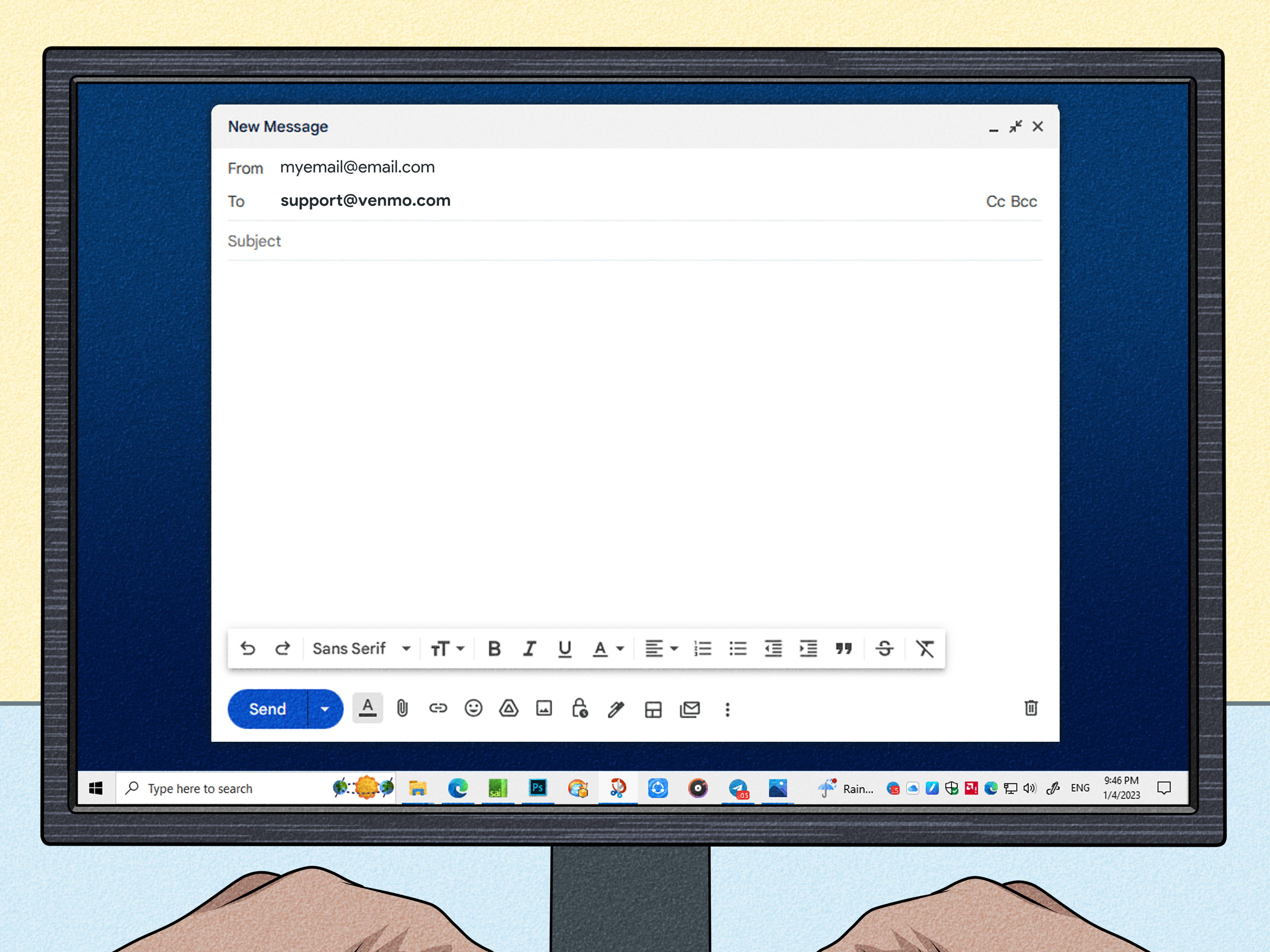
Step 5: Reply to Venmo’s Account Suspension Email
If your account was frozen for a reason other than a failed payment, Venmo usually needs to assist through email or support channels. In many cases, the fastest move is to reply directly to the email Venmo sent about the suspension.
Your reply should be calm, clear, and complete. Do not send a novel titled The Betrayal of My Digital Wallet. Instead, include useful details:
- Your full name
- Your Venmo username
- The email or phone number linked to your account
- A short explanation of what happened
- Any requested documents or screenshots
- A polite request for the next step
For example, you might write: “Hello, my Venmo account appears to be frozen. I received a notice asking for additional information. I have attached the requested documents and would appreciate help restoring account access. Please let me know if anything else is needed.”
That tone works better than “UNFREEZE ME NOW OR I WILL BECOME A WEATHER EVENT.” Support teams are humans. Humans respond better to clarity than keyboard thunder.
How to Contact Venmo Support
If you need help with a frozen Venmo account, you have several official support options. Always use Venmo’s official app, official website, or phone number listed by Venmo. Avoid random “Venmo support” numbers from search results, social media comments, or suspicious emails. Scammers often create fake support pages to steal passwords, verification codes, or money.
Contact Venmo through the app
To contact Venmo Support in the app:
- Open Venmo.
- Go to the Me tab.
- Tap the Settings gear.
- Select Get Help.
- Choose Chat With Us.
- Ask for an agent if the virtual assistant does not solve the issue.
Venmo’s virtual assistant may be available 24/7, while message support with an agent may have specific daily hours. If your issue is urgent, use the app first, then consider calling.
Call Venmo Support
For general Venmo support, account access, payments, and settings, Venmo lists the phone number (855) 812-4430. Venmo’s general support phone hours are typically every day from 8 AM to 8 PM Central Time.
If your issue involves a Venmo Debit Card or Venmo Credit Card, call the number on the back of your card. Card support may have different availability, especially for lost or stolen cards.
Report phishing or suspicious messages
If you receive a suspicious email, text, or phone call pretending to be Venmo, do not click links, do not download attachments, and do not provide your password or verification code. Venmo will not ask you for your password or two-factor authentication code. A real support agent does not need the secret code that unlocks your account. A scammer does.
You can forward suspicious Venmo-related emails or screenshots to Venmo’s phishing inbox at [email protected]. Do not include sensitive personal information in that email, and do not treat the automated phishing inbox as a customer-service thread.
What Not to Do When Your Venmo Account Is Frozen
When money is locked up, frustration is natural. Unfortunately, certain reactions can make the problem worse. Avoid these mistakes:
- Do not create a new Venmo account to get around a freeze. This can violate Venmo’s policies and may make recovery harder.
- Do not send fake documents. That is not “creative problem-solving.” It is a very bad idea.
- Do not harass support agents. Angry messages may slow down useful communication.
- Do not share verification codes. Venmo will not ask for them.
- Do not pay a stranger who claims they can unfreeze your account. That is likely a scam.
- Do not ignore emails from Venmo. If documents or repayment are requested, delays can extend the freeze.
How Long Does It Take to Unfreeze a Venmo Account?
The timeline depends on the reason for the freeze. A failed payment may be fixed quickly if you repay with a debit card. If repayment is made through a bank account, it may take several business days for the payment to process. Identity document reviews may also take a few business days, especially if documents are unclear or need to be resubmitted.
Security reviews, account investigations, and possible User Agreement violations can take longer. Venmo may not provide every detail about its internal review process, especially if fraud prevention or regulatory concerns are involved. That can be annoying, but it is common among financial platforms.
The best way to speed things up is to respond promptly, follow instructions exactly, upload clean documents, and keep communication organized.
Can Venmo Permanently Freeze or Close an Account?
Yes. Venmo may limit, suspend, or close an account if it believes the account was used in a way that violates its policies, creates risk, involves fraud, causes chargebacks, or fails to meet verification requirements. In some cases, funds may be held for a period of time to protect against disputes, liability, or payment reversals.
If Venmo permanently closes your account, the company may still provide information about withdrawing unrestricted funds when allowed. However, the process may be slower than a simple failed-payment recovery. If you believe the decision is wrong, contact Venmo Support, ask for clarification, and provide any requested documentation.
How to Prevent Your Venmo Account From Getting Frozen Again
You cannot control every automated review, but you can reduce risk. Treat Venmo like a payment tool, not a mysterious money swamp. Keep your information clean, your transactions explainable, and your account secure.
Keep enough money in your bank account
Before sending a Venmo payment from a linked bank account, make sure the funds are actually available. Pending deposits, weekend timing, bank holds, and automatic bills can create surprise shortages. Your bank account may look fine in the morning and then get ambushed by your car insurance by lunch.
Use accurate personal information
Your legal name, address, date of birth, and tax identification details should match your documents. If you recently moved, changed your name, or updated your phone number, make sure your account details stay current.
Avoid suspicious transaction patterns
Rapid transfers, unexplained large payments, repeated failed transactions, payments involving strangers, and unusual activity can trigger reviews. Payment notes should be simple and accurate. Jokes are fun, but writing suspicious payment descriptions can create unnecessary problems. Save the comedy for dinner, not compliance filters.
Do not use a personal account for unauthorized business activity
If you sell goods or services, make sure your Venmo use follows Venmo’s rules. Personal accounts are not a free-for-all business register. If your activity looks commercial, use the proper business tools and follow applicable tax and platform requirements.
Secure your account
Use a strong password, enable phone security, avoid public Wi-Fi for financial transactions, and never share login codes. If you suspect unauthorized access, change your password immediately, contact Venmo Support, and contact your bank or card issuer if financial details were exposed.
What If Your Money Is Stuck in Venmo?
If your account is frozen and your Venmo balance is unavailable, first resolve the account issue through Venmo. If the freeze involves repayment, pay the amount owed. If it involves identity verification, upload the requested documents. If it involves a security review, respond to support and monitor your email.
As a general habit, avoid storing large amounts of money in payment apps longer than necessary. U.S. consumer agencies have warned that payment app balances may not always have the same protections as money held in federally insured bank or credit union accounts. Venmo can be convenient for splitting bills, paying friends, or receiving small payments, but it should not be treated like a long-term savings vault wearing a blue logo.
After your account is restored, transfer money you do not need in Venmo to a bank account or credit union account where appropriate protections may apply. This is especially important for rent money, emergency funds, payroll, or business cash flow.
Real-World Examples of Frozen Venmo Account Problems
Example 1: The failed rent split
Jordan sends a roommate $900 through Venmo using a linked checking account. Two days later, the bank rejects the transfer because an automatic loan payment cleared first. Venmo freezes Jordan’s account and shows a negative balance. The fix is simple but not painless: Jordan repays Venmo using a debit card, waits for confirmation, and the account is restored.
Example 2: The identity mismatch
Maria signed up for Venmo years ago with a nickname. Later, Venmo asks her to verify her identity. Her ID shows her full legal name, but her account profile does not match. She contacts support, provides documentation, and updates her information. The account review takes a few business days, but the issue is resolved because the documents are clear and consistent.
Example 3: The suspicious support call
Devin receives a call from someone claiming to be Venmo Support. The caller says Devin’s account is frozen and asks for a verification code. Devin refuses, hangs up, opens the Venmo app directly, and contacts support through the official help section. Smart move. The “support agent” was likely a scammer trying to break into the account.
Experience-Based Tips for Handling a Frozen Venmo Account
When people deal with a frozen Venmo account, the hardest part is often not the technical process. It is the stress. Money apps feel instant until something goes wrong, and then suddenly every hour feels like it is moving in slow motion while wearing wet jeans. The most useful approach is to treat the issue like a case file, not a shouting match.
Start by taking screenshots of the frozen account message, the failed payment notice, your negative balance screen, or any email Venmo sent. Save them in one folder. Write down the date you first noticed the freeze, the last transaction you made, the payment method involved, and whether your bank account had enough funds at the time. This gives you a clean timeline if support asks questions.
Next, check your bank account. Many Venmo freezes begin outside Venmo, especially when a bank declines an ACH transfer. Look for returned payments, overdraft notices, closed-account errors, debit card declines, or fraud alerts. If your bank blocked the transaction, Venmo support may not be able to tell you the exact bank-side reason. Calling the bank can save you from going in circles.
If Venmo asks for documents, upload them carefully. Put the document on a flat surface with good lighting. Avoid flash glare. Make sure all corners are visible. If the document has a front and back, include both sides when requested. Use the same legal name and address across your Venmo account, bank, card, and documents. A tiny mismatch can become a big delay, because automated systems are not famous for their sense of nuance.
Keep your support messages short and specific. A strong message might say: “My account was frozen after a failed payment on May 12. I repaid the balance with my debit card today. Please confirm whether anything else is needed to restore my account.” That is better than a long emotional explanation that hides the key facts on paragraph nine. Support agents need the account issue, the action taken, and the next question.
Also, avoid opening multiple support conversations about the same problem unless necessary. Multiple tickets can scatter the information and slow down the process. If you already have a case email, reply in that same thread. If you call, mention that you already contacted support and summarize what has been done. The goal is to make your case easy to understand, not to create a customer-service treasure hunt.
If your frozen account contains money needed for bills, be proactive. Contact your landlord, service provider, or friend before the due date and explain that your payment app account is under review. Use another payment method if possible. Venmo freezes can take longer than expected, and waiting silently can create a second problem while you are still solving the first one.
Once the account is restored, change your habits slightly. Keep your linked bank account funded before sending payments. Transfer larger balances out of Venmo after receiving them. Use payment notes that clearly describe normal activity, such as “dinner,” “utilities,” or “rent share.” Avoid sending money to strangers unless the transaction is clearly allowed and protected under Venmo’s rules. Review your privacy settings and security settings. Enable device locks and never share authentication codes.
The biggest lesson is simple: Venmo is convenient, but it is not magic. It is connected to banks, cards, fraud systems, compliance rules, identity checks, and payment networks. When one piece hiccups, the app may freeze the account to reduce risk. Stay organized, use official support channels, and respond quickly. That gives you the best chance of turning “frozen account” into “minor inconvenience” instead of “financial soap opera.”
Final Thoughts
Learning how to unfreeze your Venmo account starts with understanding the cause. If the issue is a failed payment, repay the amount owed and wait for the recovery payment to process. If Venmo needs identity documents, upload clear and accurate files through the official app or secure Venmo channels. If the account is under review, reply to Venmo’s email and follow instructions carefully.
Most importantly, contact Venmo Support only through official channels: the Venmo app, Venmo’s official website, or the verified support phone number. Never share passwords, verification codes, or personal information with someone who contacts you unexpectedly. A real support process may be inconvenient, but a fake one can be expensive.
A frozen Venmo account is frustrating, but it is often fixable. Stay calm, gather your information, follow the official steps, and keep your money habits tidy going forward. Your future self will thank you, probably while splitting brunch.