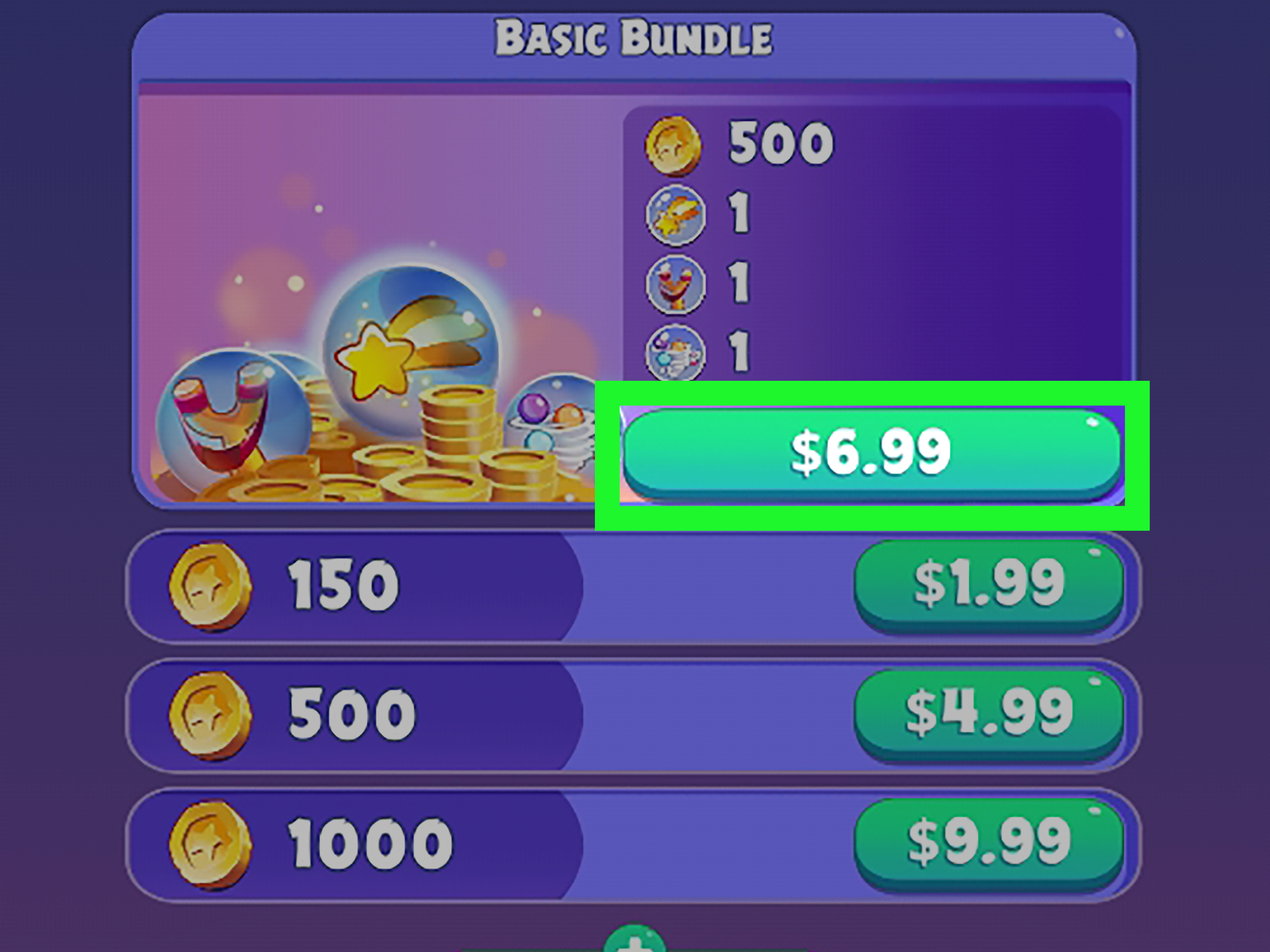
In-app purchases can turn a harmless five-minute game into a tiny shopping mall that lives in your pocket. One minute you are matching colorful gems; the next, an animated wizard is asking whether you would like to spend $14.99 on a “legendary starter bundle.” Apparently, the legend begins with your credit card.
So, can you get in-app purchases for free on Android? Yes, but only through legitimate rewards, promotions, developer giveaways, free trials, subscription benefits, and content earned inside the app. There is no safe universal trick that unlocks every paid item without authorization.
Important note: This guide does not explain how to bypass Google Play billing, modify an app, use cracked APK files, exploit a developer’s servers, or obtain paid content without permission. Those methods can violate laws and app terms, compromise your Google account, expose your device to malware, and cause permanent account bans.
Can Android In-App Purchases Really Be Free?
An in-app purchase is additional digital content bought from inside an Android app or game. It may unlock premium features, virtual currency, extra levels, subscriptions, cosmetic items, storage, or an ad-free experience.
Developers can legitimately make these purchases free through promotional codes, limited-time giveaways, loyalty rewards, trial periods, sponsored offers, or special events. Google also provides systems such as Play Points, Opinion Rewards, Play Pass, and the Offers section of the Play Store.
However, “free” usually means one of three things:
- You earn credit by completing an approved activity.
- The developer or Google temporarily discounts the item to zero.
- A subscription or reward program covers the normal purchase price.
You may not hand over cash at checkout, but you could be exchanging time, survey responses, loyalty points, attention, or participation. Free lunch remains stubbornly committed to avoiding the Android ecosystem.
1. Earn Free Credit With Google Opinion Rewards
Google Opinion Rewards is one of the most direct ways to earn Google Play credit without buying a gift card. The Android app periodically sends short market-research surveys. After completing an eligible survey, users may receive Play credit that can be spent on apps, games, subscriptions, and qualifying in-app purchases.
Survey availability and reward amounts vary. You may receive several surveys in a short period and then hear nothing for a while. Google also advises users to answer honestly rather than trying to guess which response will produce a larger reward. Survey frequency is not guaranteed, and invitations can expire.
How to use Opinion Rewards credit
- Install the official Google Opinion Rewards app from Google Play.
- Sign in with the same Google Account used by the Play Store.
- Complete the setup questions accurately.
- Respond promptly when a survey notification appears.
- At checkout, select your Google Play balance as the payment method.
Credits earned through promotions may have an expiration date. Google’s support documentation notes that older promotional credits, including some Opinion Rewards credit, can expire. Check your balance instead of saving it for the distant day when a mobile game finally offers a reasonably priced dragon.
2. Redeem Google Play Points
Google Play Points is a free loyalty program available in supported countries. Members earn points from eligible Google Play purchases and may receive promotional earning opportunities. Depending on the current catalog and region, points can be exchanged for Google Play credit, coupons, partner rewards, or specific in-app items.
Participating games sometimes offer direct rewards such as virtual currency, character upgrades, energy, boosters, or cosmetic items. A reward that normally costs real money may therefore be obtained by redeeming accumulated points.
How to check Play Points rewards
- Open the Google Play Store.
- Tap your profile picture.
- Select Play Points.
- Open the Use section.
- Review available credit, coupons, and in-game rewards.
Join before making qualifying purchases because purchases completed before enrollment generally do not earn points. Also read each coupon’s conditions. A coupon may apply only to one app, require a minimum purchase, or expire after a certain date.
3. Look for Official Promo Codes
Developers can create legitimate Google Play promotional codes for paid apps, one-time in-app products, or subscriptions. A valid code may unlock an item completely free, provide a free trial, or reduce its price.
Official codes may appear in developer newsletters, verified social media accounts, livestreams, conventions, app anniversaries, beta-testing communities, or promotional partnerships. Google confirms that certain in-app purchase codes can be entered during the Play checkout process.
How to redeem an in-app promo code
- Open the app and select the qualifying purchase.
- Begin the normal Google Play checkout process.
- Tap the arrow beside the current payment method.
- Select Redeem code.
- Enter the code and follow the instructions.
Never pay a stranger for a supposed “secret free code.” Real promotional codes may be limited by account, country, app, expiration date, or number of redemptions. A code generator that requests your Google password is not being generous; it is wearing a digital burglar costume.
4. Check the Google Play Offers Tab
The Play Store includes an Offers destination where eligible users can discover discounts and promotions for apps, games, and digital content. Offers are personalized, so two people may not see the same deals.
Open Google Play and look for the Offers tab. Review the conditions before saving or using a deal. Some promotions reduce the price of an in-app purchase, while others provide bonus items, temporary subscriptions, or discounted starter packages. Availability depends on the account, device, country, and campaign.
Check regularly, particularly around holidays, major game updates, app anniversaries, and seasonal sales. Developers generally prefer celebrating an anniversary with free coins rather than mailing everyone a cake.
5. Use Google Play Pass for Included Apps and Games
Google Play Pass is a paid subscription, so it is not literally free unless you have an authorized trial or a family member shares an eligible subscription. However, it can eliminate separate in-app purchase costs across a large catalog of participating apps and games.
Google states that Play Pass catalog titles are provided without ads or standard in-app purchases. Only apps displaying the Play Pass badge receive those catalog benefits. Play Pass does not magically unlock every game in the Play Store.
Before paying repeatedly for premium features, calculate whether Play Pass would cost less. Someone spending a few dollars every week across several casual games may save money with one subscription. Someone who plays one free crossword app every third Tuesday probably will not.
Important Play Pass limitations
- The catalog can change over time.
- Only participating apps receive the full benefits.
- Some separate promotional titles may still contain purchases.
- Benefits may disappear after the subscription ends.
- Availability and pricing vary by country.
6. Use Free Trials Carefully
Many productivity, fitness, streaming, education, photo-editing, and cloud-storage apps offer authorized free trials. During the trial, you may receive access to premium features that are normally sold through a recurring in-app subscription.
Before accepting, read the duration, renewal price, billing frequency, and cancellation rules. Google explains that qualifying trials normally convert into paid subscriptions unless canceled before the trial expires. Uninstalling the app does not automatically cancel the subscription.
A safe trial routine
- Take a screenshot of the offer and renewal date.
- Add a calendar reminder several days before renewal.
- Test the premium features immediately.
- Cancel through Google Play if the service is not worth the price.
- Confirm that the subscription page shows the cancellation.
Do not repeatedly create new accounts to recycle introductory trials. That can violate the service’s terms and may result in lost accounts or blocked payment methods.
7. Earn Premium Content Through In-App Events
Many Android games offer premium currency or paid-style content through daily rewards, login streaks, achievements, seasonal events, referral campaigns, tournaments, and optional advertisements.
For example, an app might normally sell 500 gems but also award smaller amounts for completing weekly missions. Saving those rewards can eventually unlock the same character, theme, or expansion without making a purchase.
Use an efficient earning strategy
- Claim daily login rewards, even when you do not have time to play.
- Complete missions that offer premium rather than ordinary currency.
- Save rewards for limited items instead of spending them impulsively.
- Join official events with guaranteed milestones.
- Use referral bonuses only with real, consenting participants.
- Read event deadlines so accumulated tokens do not expire unused.
This method requires patience, but it is authorized and account-safe. Think of it as exchanging time for pixels, which is also a surprisingly accurate description of modern civilization.
8. Follow Developers for Giveaways and Beta Programs
Independent developers often distribute free premium access to attract testers, reward early adopters, celebrate launches, or gather feedback. Follow the developer’s official website, verified community, mailing list, or Google Play listing.
Beta testers may receive temporary premium access, test currency, or complimentary subscriptions. These rewards are not guaranteed, and test purchases may be restricted to the testing environment. Do not assume that virtual items from a beta version will transfer to the public release.
Useful opportunities include:
- Launch-week promo codes
- App anniversary giveaways
- Official community contests
- Bug-reporting rewards
- Early-access tester benefits
- Educational or nonprofit access programs
Avoid unofficial groups that ask you to install a separate APK, disable Play Protect, share a verification code, or log in through an unfamiliar website.
9. Choose Apps With Earnable or Ad-Supported Premium Features
Sometimes the easiest way to get premium functionality for free is to choose an app designed to provide it legally. Competing Android apps may offer similar tools through advertising, usage limits, open-source development, or optional donations rather than mandatory purchases.
Before buying an expensive upgrade, compare alternatives based on:
- Which features are included in the free version
- Whether advertisements are reasonable
- Export quality and file-format restrictions
- Privacy permissions and data collection
- One-time pricing versus recurring subscriptions
- Recent reviews and update history
A free alternative is not always inferior. It may simply have fewer animated buttons begging to become part of your monthly budget.
10. Understand Family Sharing Before Depending on It
Google Play Family Library can share certain purchased apps and games with eligible family members. A Play Pass subscription can also be shared with a Google family group in supported regions.
However, ordinary in-app purchases generally cannot be shared through Family Library. Buying a paid game and sharing the game does not necessarily share extra coins, subscriptions, expansion packs, or premium upgrades purchased inside it.
Family sharing is therefore useful for reducing the cost of eligible paid apps, but it should not be presented as a universal way to obtain free in-app purchases.
Methods You Should Avoid
Search results and social media videos frequently promote modified APK files, billing patchers, “unlimited currency” generators, account-sharing markets, and fake gift-card websites. These methods are unreliable at best and dangerous at worst.
Modified or cracked APK files
A modified APK may contain spyware, credential stealers, aggressive advertising software, or code that subscribes the device to unwanted services. The FTC warns that malware can steal passwords, financial information, and other personal data. Google also classifies risky binaries and framework modifications as potentially harmful applications.
“Free gift card” surveys and code generators
Scammers commonly promise gift cards, prizes, or discount codes to persuade people to click harmful links or disclose account information. The FTC advises consumers not to trust unexpected prize messages or enter sensitive data on unfamiliar pages.
Payment bypasses and purchase emulators
Tools designed to make an app believe a purchase occurred can violate developer agreements and platform rules. Many modern apps also verify purchases on remote servers, meaning a local modification may fail, corrupt progress, or trigger a ban.
Refund abuse
A refund exists for eligible mistaken, defective, or unauthorized purchasesnot as a technique for keeping digital content without paying. Google evaluates refunds under its policies, and eligibility may depend on the product, timing, and circumstances. Repeated abuse can lead to rejected requests or account restrictions.
How to Prevent Accidental In-App Purchases
Getting content free is useful, but avoiding an accidental $99.99 purchase by a bored child, curious friend, or suspiciously talented cat is even better.
Google Play allows users to enable purchase verification using supported authentication methods. Family managers can also require approval for certain purchases made through Google Play billing.
Recommended protection steps
- Open the Google Play Store.
- Tap your profile picture and open Settings.
- Find the purchase verification or authentication options.
- Require verification for purchases.
- Use Family Link purchase approvals for supervised child accounts.
- Review your Play purchase history regularly.
- Do not share passwords, one-time codes, or account recovery information.
A Practical Plan for Getting Android In-App Purchases Free
Instead of chasing questionable shortcuts, use a repeatable routine:
- Join Google Play Points before making eligible purchases.
- Install Google Opinion Rewards and answer surveys honestly.
- Check the Play Store Offers section once a week.
- Review Play Points rewards before paying for an item.
- Follow the app’s official channels for promotional codes.
- Complete events that award premium currency.
- Compare Play Pass with your normal monthly spending.
- Set reminders for every free trial.
- Avoid unofficial APK downloads and code generators.
Combining several small methods is usually more effective than waiting for one enormous giveaway. A survey credit, a Play Points coupon, and an in-game event reward may together cover something that initially appeared to require a cash purchase.
Realistic User Experiences and Lessons
The following examples are composite scenarios based on common Android purchasing situations. They illustrate what users are likely to experience rather than pretending there is a secret button labeled “Make Everything Free.”
Experience 1: The patient casual gamer
A casual player wants a small premium bundle in a puzzle game but does not want to attach a credit card. The player installs Google Opinion Rewards, answers occasional surveys, and accumulates a modest Play balance. Meanwhile, the game runs a seasonal event that awards premium currency for completing daily missions.
After several weeks, the earned credit covers part of the bundle, while the event provides enough currency to make the bundle unnecessary. The lesson is that the best “free purchase” is sometimes avoiding the purchase entirely. Patience is not as exciting as an alleged unlimited-gems hack, but patience is less likely to install spyware.
Experience 2: The Play Points collector
Another Android user already buys an occasional movie, app, or game but never joined Play Points. After enrolling, the user starts checking the program before making any in-app purchase. Eventually, a participating game offers a direct item redemption and a discount coupon.
The reward does not unlock the game’s entire store. It applies only to a listed item and expires after a limited period. That limitation initially feels disappointing, but it also demonstrates how legitimate promotions work: they have visible conditions, defined values, and normal checkout flows. They do not demand that users disable security settings or send their account passwords to someone named “FreeGemsMaster2026.”
Experience 3: The forgotten free trial
A user begins a seven-day premium trial in a photo-editing app. The app works well, but the annual renewal price is higher than expected. The user assumes deleting the app will end the trial. It does not, because uninstalling an app and canceling its subscription are separate actions.
The safer experience is to open Google Play, visit the Subscriptions section, cancel before renewal, and keep a confirmation record. This approach lets the user evaluate the premium tools without accidentally converting “free for one week” into “surprise annual financial commitment.”
Experience 4: The family-sharing misunderstanding
A parent buys an eligible educational app and successfully shares it through Family Library. The family later purchases an additional lesson pack inside the app and expects that pack to appear on every account. It does not, because regular in-app purchases are generally excluded from Family Library sharing.
The family learns to check whether an app offers a household subscription, Play Pass participation, individual profiles under one subscription, or a separate family plan. Reading the developer’s purchase terms before paying prevents arguments about whose tablet contains the premium dinosaurs.
Experience 5: The suspicious APK shortcut
A player finds a website claiming to offer a modified version of a popular game with every purchase unlocked. The page asks the player to disable Play Protect and grant broad permissions. Those requests are serious warning signs. A legitimate promotion should not require weakening device security.
The player leaves the site, checks the game’s official community instead, and finds an upcoming login event with free rewards. The event offers fewer items than the suspicious download promised, but the account remains safe, the rewards work, and no mysterious application begins reading notifications at three in the morning.
What these experiences teach
Legitimate methods are usually slower and more limited than the claims made by unauthorized tools. That is precisely why they are safer. They use official checkout systems, clear expiration dates, published eligibility rules, and developer-approved rewards.
The most reliable strategy is to decide which premium feature you actually need, estimate its real value, and combine available credit, points, promotions, events, and trials. Do not spend three hours chasing a free item worth 99 cents unless those three hours are entertaining. Your time is also a currency, although Google Play has not yet added it to the payment menu.
Conclusion
It is possible to get certain Android in-app purchases for free, but the safe methods come from Google, the app developer, or an authorized promotional partner. Google Opinion Rewards, Play Points, official promo codes, Play Store offers, Play Pass benefits, free trials, in-app events, and developer giveaways can all reduce or eliminate costs.
Avoid cracked APK files, billing bypasses, fake code generators, stolen gift cards, and refund abuse. These shortcuts can expose your personal information, damage your device, violate platform rules, and erase years of game progress faster than you can say, “But the tutorial video had millions of views.”
Use official programs, read the conditions, protect your account, and remember that not every shiny digital hat deserves access to your bank account.