Research basis: KiCad’s current documentation supports importing EAGLE XML projects and libraries, while noting that some EAGLE-specific settings and artifacts do not migrate cleanly.
Moving from Autodesk EAGLE to free and open-source PCB tools can feel like relocating a workshop after someone mixed every resistor, screw, and mystery adapter into one giant drawer. Your schematics and board files may be the obvious concern, but your EAGLE libraries are where the real institutional memory lives. They contain the symbols, footprints, package mappings, pin names, dimensions, and tiny decisions that kept past boards from becoming expensive coasters.
The good news: exporting EAGLE libraries to FOSS tools is very doable. The less exciting news: conversion is not a magical “make everything perfect” button. A library can import successfully and still contain a reversed connector, a mismatched QFN footprint, or silkscreen text doing yoga across a solder pad. A careful migration process protects your historical designs while giving you a cleaner, more portable library system for the future.
This guide explains how to export EAGLE libraries, move them into KiCad, LibrePCB, and other FOSS-oriented workflows, verify the results, and avoid the classic mistake of trusting a green check mark more than a datasheet.
Why EAGLE Library Migration Is More Than a File Conversion
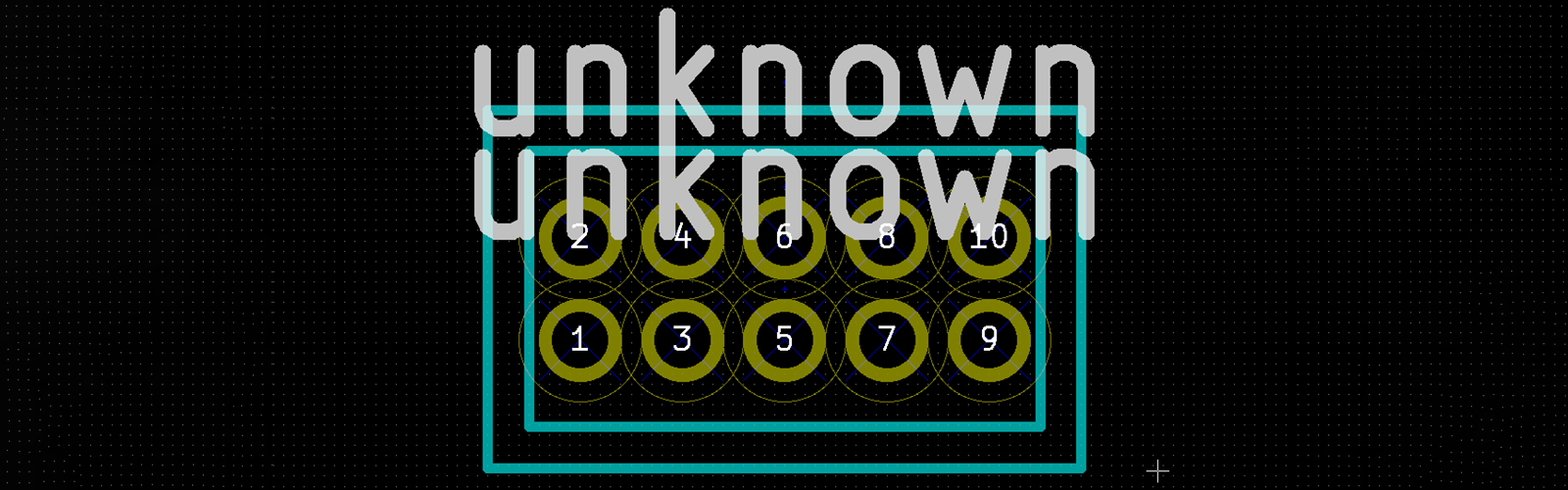
An EAGLE .lbr file is not merely a folder of drawings. It typically combines three linked ideas: a symbol for the schematic, a package for the PCB footprint, and a device that maps symbol pins to physical pads. That structure is convenient inside EAGLE, but different FOSS tools organize library data differently.
KiCad, for example, separates symbols, footprints, and 3D models into distinct library systems. LibrePCB also treats the relationships among symbols, packages, components, and devices as structured library data. The migration challenge is therefore not just “Can this tool read my file?” It is “Will the electrical meaning, physical land pattern, and part metadata still agree after the move?”
Think of a component as a three-legged stool. The schematic symbol tells you what the part means. The footprint tells the manufacturer where copper and solder paste belong. The device mapping makes sure pin 1 in the schematic becomes pad 1 on the board. Remove one leg, and the stool becomes a very educational fall.
EAGLE’s exported library workflow and the included exp-lbrs utility are documented by Autodesk.
Start With an EAGLE Library Audit
Before importing anything into a FOSS EDA tool, make a preservation copy of your EAGLE environment. Archive the original project folders, .sch files, .brd files, custom .lbr files, design-rule files, CAM jobs, ULP scripts, manufacturing outputs, and any internal documentation. Do not begin by “cleaning up” the only surviving copy. That is how a migration turns into digital archaeology.
Export Libraries Used by Existing Designs
For a working EAGLE project, export the libraries actually used by the design rather than assuming your global library folder contains the final truth. EAGLE’s library export feature and its exp-lbrs.ulp workflow can extract project-used parts into an exported library. This is especially valuable when an old board depends on a custom footprint that was edited years ago, perhaps at 1:17 a.m., with a cup of coffee providing more confidence than evidence.
Create two exports when possible:
- Original-library export: Keeps the source-library structure closer to the original collection.
- Composite or merged export: Creates a practical snapshot of the components used in one project.
The composite version is useful for preserving a project as-built. The original-library version is more useful when you want to build a reusable long-term component library. Keep both. Storage is cheap; rediscovering a custom castellated-module footprint from a six-year-old board is not.
Classify Parts by Risk
Not every component deserves equal attention during migration. Sort your library into three groups:
- Low risk: Basic resistors, capacitors, LEDs, standard mounting holes, and common through-hole headers.
- Medium risk: USB connectors, switching regulators, crystal footprints, unusual pin headers, relays, and modules.
- High risk: Fine-pitch QFNs, BGAs, high-current connectors, RF parts, power MOSFETs, mechanical switches, edge connectors, and custom sensor packages.
Low-risk parts can usually be checked quickly. High-risk parts deserve direct comparison against the latest manufacturer datasheet and recommended land pattern. A footprint that is “almost right” is a bit like a parachute that is “mostly packed.”
Choose the Right FOSS Destination
KiCad: The Most Practical Destination for Most Teams
KiCad is often the most straightforward FOSS destination for former EAGLE users because it supports schematic capture, PCB layout, 3D viewing, manufacturing outputs, simulation features, and broad library management on Windows, macOS, and Linux. Its official library ecosystem separates symbols, footprints, and 3D models, which can initially feel less tidy than an all-in-one EAGLE library but becomes helpful when a symbol needs multiple footprint options.
For a complete legacy design, importing the EAGLE schematic and board together is usually safer than converting only the library first. The full project import gives KiCad more context about component references, net names, physical placement, layer mapping, and footprint associations. Once the project opens, you can extract, normalize, and improve the migrated parts.
LibrePCB: A Clean Alternative for Library-Centered Workflows
LibrePCB is another FOSS option worth considering when you want a library model designed around reusable, structured parts. It supports EAGLE XML library import for EAGLE 6-and-later-style .lbr files. Its workflow can be especially appealing for teams that want to reduce ambiguity around symbols, packages, and device variants.
LibrePCB is not always the fastest destination for every legacy production project, particularly when a team depends on highly customized EAGLE automation or an established KiCad ecosystem. Still, it can be a strong choice for rebuilding a disciplined component library from a well-audited EAGLE archive.
Other FOSS Tools: Treat Conversion as a Rebuild Project
Other open-source or FOSS-adjacent EDA workflows may be useful for specific teams, especially those that favor scripting, text-based formats, or Linux-first development. However, direct EAGLE library conversion is not equally mature everywhere. For tools without reliable import support, use EAGLE exports as reference material and rebuild the critical symbols and footprints manually.
That sounds tedious because it is tedious. But manual rebuilding is often safer than using an unmaintained converter that turns your carefully designed RF connector footprint into something that resembles modern art.
SparkFun and Adafruit maintain public EAGLE resources and KiCad-oriented library workflows, illustrating why migrated libraries should be treated as reviewable source material rather than unquestioned production data.
A Reliable EAGLE-to-KiCad Library Migration Workflow
1. Freeze the Original EAGLE Files
Create a read-only archive containing the original EAGLE project and library files. Add a plain-text note that records the EAGLE version, the source date, the board revision, known working manufacturers, and whether a physical board was ever assembled successfully.
This archive is your migration control sample. When a pin mapping looks strange after import, you need a trustworthy original to inspect.
2. Confirm the EAGLE File Format
Modern EAGLE XML files are the friendliest starting point for import. Very old EAGLE files created before the XML-era formats may need to be opened and re-saved in a newer EAGLE-compatible format before another tool can read them. Do not assume a file extension tells the whole story; a file named legacy_parts.lbr can still be old enough to remember dial-up internet.
3. Import the Project Before Rebuilding the Library
When you have a paired EAGLE schematic and board, import the complete project into KiCad first. Keep the original .sch and .brd files together with matching base names. After importing, review the resulting schematic, board outline, footprints, layer assignments, and net connectivity before changing anything.
This approach helps you answer the questions that matter:
- Did reference designators survive?
- Are symbol pins still connected to the intended nets?
- Did the board retain the correct package assignments?
- Were copper layers, drills, keepouts, and polygons interpreted sensibly?
4. Import Symbols and Footprints Into Separate Libraries
For library-only migration, use KiCad’s symbol and footprint library tools to import the relevant EAGLE data into project-specific libraries. Avoid dumping every imported item into a global library immediately. A project library lets you inspect, edit, and validate parts without contaminating every future design with half-reviewed legacy components.
A practical structure looks like this:
Once the parts are proven, move stable components into a shared organization library. Until then, keep them close to the project that explains why they exist.
5. Normalize Names, Fields, and Footprint Links
EAGLE libraries often contain names that made perfect sense to the original author and nobody else. A package called QFN20_NEW_FINAL2 is technically descriptive in the same way that “drawer stuff” is technically a filing system.
Normalize imported parts with clear, searchable names. Add or review these fields:
- Manufacturer part number
- Manufacturer name
- Value and tolerance where appropriate
- Package name
- Datasheet reference
- Assembly notes
- Approved alternate parts
- Lifecycle or sourcing status
Then confirm that every schematic symbol points to the intended KiCad footprint. Do not rely on a footprint name alone. A footprint called USB-C-16P can describe several mechanically incompatible connector families.
6. Reconnect 3D Models Deliberately
3D models often do not migrate with the same smoothness as symbols and copper geometry. Use KiCad’s official 3D model libraries where a matching model already exists, or add manufacturer-provided STEP files where license terms permit. For mechanical-critical parts such as connectors, displays, switches, and board-edge modules, inspect the board in 3D before ordering.
3D inspection does not replace a mechanical drawing, but it is excellent at catching the “why is the USB connector facing the inside of the enclosure?” class of surprise.
Exporting EAGLE Libraries to LibrePCB
LibrePCB can import EAGLE XML libraries through its library workflow. Begin with a local test library rather than importing directly into the only library your team plans to use forever. Bring in a small sample first: one resistor, one connector, one integrated circuit, and one complicated custom footprint.
After import, inspect the relationship among symbols, packages, components, and devices. Pay special attention to multi-unit symbols, alternate packages, pad numbering, and part variants. A simple two-pin resistor may import beautifully while a multi-gate IC with a thermal pad becomes the electronic equivalent of a group project where nobody knows who owns pin 17.
For any production-bound part, compare the imported footprint against the current manufacturer recommendation. Manufacturer application notes often define critical details such as exposed-pad geometry, solder-mask expansion, paste segmentation, thermal vias, and courtyard clearance. Those details are not decorative. They can affect yield, heat transfer, inspectability, and whether the assembly house sends you a polite but alarming email.
LibrePCB documents EAGLE XML library import, and third-party integration guidance shows EAGLE project import support in newer workflows.
Verification: The Step That Separates Migration From Wishful Thinking
Imported libraries should be reviewed with the same seriousness as newly created libraries. Conversion preserves data, but it cannot guarantee that the source data was correct, current, or appropriate for your manufacturer’s capabilities.
Use a Four-Level Verification Checklist
| Verification Level | What to Check | Typical Failure Caught |
|---|---|---|
| Symbol | Pin numbers, names, electrical types, units, power pins, and orientation | Pin 1 and pin 8 silently swapped in the schematic |
| Footprint | Pad count, numbering, pitch, drill size, solder mask, paste, silkscreen, and courtyard | Connector footprint fits the wrong mating part |
| Device Mapping | Symbol pin-to-pad assignments and alternate package options | Thermal pad omitted or mapped to the wrong net |
| Manufacturing Output | Gerbers, drill files, pick-and-place data, BOM, and assembly drawings | Board looks correct in CAD but fails preflight |
Run electrical-rule checks and design-rule checks after import. Then generate manufacturing files and inspect them with a Gerber viewer. A board fabricator may accept KiCad, EAGLE, or Gerber uploads, but that does not mean every imported layer, opening, and drill result is automatically correct. The fabricated board only cares about geometry; it has no sympathy for your migration story.
For high-risk footprints, print the footprint at 1:1 scale or overlay it against the package drawing. This simple test catches surprising issues with connector mounting tabs, display modules, battery holders, and board-to-board connectors.
Manufacturing guidance emphasizes applying appropriate design rules and validating land patterns, solder mask, paste, thermal-pad, and drill details against component recommendations.
What Usually Does Not Convert Perfectly
A successful import does not mean every EAGLE feature has an exact equivalent in a FOSS tool. Expect extra work around:
- Custom ULP automation and scripts
- CAM jobs and manufacturing presets
- EAGLE-specific design-rule logic
- Managed-library metadata
- Custom text fonts and proprietary layer conventions
- Part attributes tied to old procurement systems
- Specialized board constraints, polygons, and signal-class behavior
Document these differences instead of trying to hide them. A short migration note is more valuable than a mysterious library where future engineers wonder why a power footprint has three different paste layers and a warning text reading DO_NOT_TOUCH_SERIOUSLY.
Build a Better Library Than the One You Left Behind
Migration is a perfect opportunity to improve library governance. Rather than recreating a giant global folder full of parts from every project since the dawn of Arduino, create a controlled workflow:
- Keep trusted, verified parts in a shared library repository.
- Keep experimental and project-specific parts inside the project repository.
- Use version control for symbols, footprints, 3D models, and documentation.
- Require peer review for high-risk components.
- Record the source datasheet revision and verification date.
- Tag library releases used by production hardware.
A versioned library gives you traceability. Months later, you can answer whether production revision B used the same USB-C footprint as prototype revision A. Without versioning, the answer is usually a long pause followed by someone opening three random folders called final.
Conclusion: Export Carefully, Validate Ruthlessly
Exporting EAGLE libraries to FOSS tools is not about escaping one file extension. It is about preserving electrical intent, physical accuracy, and manufacturing confidence while moving into a workflow you can inspect, share, and maintain without depending on a single vendor ecosystem.
Start by archiving the original EAGLE projects, export the libraries actually used by each design, import in small controlled batches, and validate symbols, footprints, mappings, and fabrication outputs. KiCad is usually the most practical destination for complete EAGLE projects, while LibrePCB can be an appealing choice for teams rebuilding clean, structured libraries. In both cases, the winning strategy is simple: automate the boring parts, review the risky parts, and never let a file converter have the final word on a QFN footprint.
Hands-On Migration Experience: What Teams Commonly Learn
The first practical lesson in EAGLE-to-FOSS migration is that the library is almost never as organized as everyone remembers. A team may believe it has one official capacitor library, one connector library, and one master package collection. Then the export reveals four versions of the same JST connector, two footprints with nearly identical names, and at least one component copied from an old forum post during a deadline sprint. This is normal. It is also why migration should begin with discovery rather than deletion.
One common experience is finding that the best historical source is not the global EAGLE library folder. The best source is often the last manufactured project. That project contains the exact custom package, pin mapping, and silkscreen treatment that made it onto a real board. Exporting the used libraries from known-good projects creates a valuable “proven parts” collection. It does not mean every part is perfect, but it gives the migration a starting point with evidence behind it.
Another repeated lesson is that simple components create false confidence. A 0603 resistor symbol and footprint may migrate with no visible issues. Then a fine-pitch USB-C connector, QFN power controller, or odd-shaped radio module arrives with a subtle problem: swapped pad numbering, an absent exposed pad, reversed mechanical tabs, or a courtyard that overlaps the neighboring connector. This is why teams that migrate successfully prioritize complex parts first. The easy parts can wait. The painful parts should be found before they become expensive parts.
Many users also learn to separate “conversion complete” from “library approved.” A converted footprint should be marked as imported, reviewed, or production-approved. That status can live in a field, a naming convention, a README file, or a library review checklist. The important point is visibility. A future designer should not have to guess whether QFN-32-EP_IMPORTED has been checked against the latest datasheet or merely survived an import dialog without crashing.
Version control becomes far more valuable after migration. EAGLE users often rely on copies of folders, date-stamped archives, and filenames such as board_final_final_REAL_FINAL. A FOSS workflow built around Git can replace this with tags, commits, review history, and issue tracking. That does not eliminate mistakes, but it makes mistakes easier to find, understand, and reverse. It also lets a hardware team tie a production release to the precise symbol and footprint revisions used at the time.
There is also a cultural benefit. Moving libraries into open formats encourages teams to document assumptions that previously lived only in one designer’s memory. Why is the exposed pad divided into four paste apertures? Why does this connector use nonstandard drill sizes? Why is pin 5 intentionally marked no-connect? These questions become part of the component record instead of informal knowledge passed along during a hurried chat.
Finally, the most successful migrations do not attempt perfection on day one. They move active products first, convert trusted parts as they are needed, and improve the shared library through actual design work. That approach is slower than a giant one-weekend import marathon, but it produces a library that is cleaner, more understandable, and far less likely to surprise the next person who opens it on a Friday afternoon.
Note: Keep an untouched copy of every original EAGLE project, the exported library snapshot used for conversion, and the final verified FOSS library revision. A migration is not truly complete until the converted design has passed review and, ideally, produced a physically inspected board.