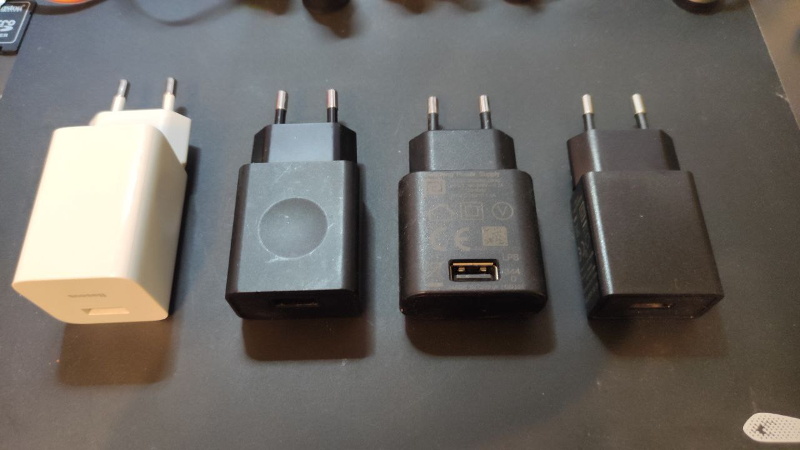
USB power looks simple from the outside: plug in a cable, wait for the tiny lightning icon, and hope your battery climbs faster than your patience drops. Under the hood, however, USB power is a surprisingly clever system of voltage limits, current rules, cable capabilities, electronic handshakes, and safety checks. It has evolved from a modest way to run a computer mouse into a universal charging language for phones, tablets, headphones, monitors, game consoles, docking stations, and many laptops.
The beauty of USB power is also the source of its confusion. A USB-C port may look identical on two devices, yet one might barely charge a phone while another can feed a power-hungry laptop. One USB-C cable might support 240 watts; another might move power slowly and transfer data at basic USB 2.0 speeds. In other words, USB-C is not magic. It is a connector, a set of rules, and sometimes a small negotiation drama happening at electronic speed.
What USB Power Actually Means
At its simplest, USB power is electrical energy delivered through a USB connection. Classic USB ports supplied 5 volts, with current limits depending on the version and port type. Older USB 2.0 ports commonly provided up to 500 mA, which equals about 2.5 watts. USB 3.x raised that typical ceiling to 900 mA, or about 4.5 watts. That was enough for keyboards, mice, flash drives, and small accessories, but not enough for modern fast charging.
As phones became pocket computers and laptops got thinner, the industry needed USB to do more than sip power. USB Battery Charging 1.2 helped by allowing certain charging ports to supply up to 1.5 A at 5 V, or about 7.5 watts. Then USB-C arrived with a reversible connector, dedicated configuration pins, and a path toward much higher power levels. With USB-C alone, without full USB Power Delivery negotiation, devices can advertise and draw higher 5 V current levels such as 1.5 A or 3 A when supported. That means up to 15 watts before the real fast-charging conversation even starts.
USB-C Changed the Conversation
USB-C is often described as “the charging port to rule them all,” but that phrase needs a footnote the size of a phone manual. USB-C is the oval, reversible connector. It can carry power, data, display signals, or all three, depending on how the port, device, charger, and cable are built. The connector is wonderfully convenient, but identical-looking ports can have very different abilities.
The key to USB-C power is the configuration channel, usually called the CC pins. These pins help the connected devices detect cable orientation, decide which side supplies power, and determine how much current is available. In a basic USB-C power setup, the source advertises its current capability, and the receiving device responds accordingly. This helps prevent the “just pull as much current as possible and see what smokes” approach, which is a terrible electrical philosophy and an even worse home décor plan.
USB Power Delivery: The Fast-Charging Handshake
USB Power Delivery, often shortened to USB PD, is the smarter system that lets devices negotiate more than basic 5 V power. Instead of assuming one fixed voltage, a USB PD charger can offer several power profiles. A phone, tablet, laptop, or monitor can request the option it supports. The charger then supplies the agreed voltage and current, while the device controls how much it actually draws.
Earlier USB PD implementations commonly supported voltages such as 5 V, 9 V, 15 V, and 20 V, with power levels up to 100 watts in many USB PD 3.0 setups. USB PD 3.1 expanded the ceiling dramatically with Extended Power Range, allowing certified systems to deliver up to 240 watts using higher voltages such as 28 V, 36 V, and 48 V at up to 5 A. That is enough for some high-performance laptops, large docking stations, compact workstations, and future devices that previously needed bulky proprietary power bricks.
Why Higher Voltage Matters
Power is voltage multiplied by current. To deliver more watts, a charger can raise voltage, current, or both. Pushing too much current through a small cable creates heat and efficiency losses, so USB PD 3.1 uses higher voltage to reach higher wattage without asking the cable to carry cartoonishly large current. That is why the jump to 240 W is not just “more juice.” It is a carefully managed power system that depends on compatible chargers, cables, and devices.
Cables Matter More Than People Think
One of the most common USB power mistakes is assuming every USB-C cable is the same. It is not. Some USB-C cables are designed for 60 W charging. Some support 100 W. Newer certified USB-C cables may support 240 W. Some handle high-speed data. Others are mainly charge cables and transfer data at slower USB 2.0 rates. A cable can be excellent for charging a laptop and still be mediocre for moving large video files.
For higher power, especially above 3 A, USB-C cables usually need electronic marking, often called an e-marker. This tiny chip tells connected devices what the cable can safely support. Without the right cable, a powerful charger will not simply blast full power through the line. Instead, the system should fall back to a lower safe level. That is good news for your laptop, your desk, and your general desire not to smell melting plastic.
Look for Clear Power Ratings
USB-IF has pushed clearer labeling for certified USB-C cables, including 60 W and 240 W marks. This matters because the cable drawer in many homes has become a spaghetti museum. If you are charging a phone, almost any decent USB-C cable may be fine. If you are charging a laptop, docking station, portable monitor, or high-wattage power bank, cable rating becomes important. The safest habit is simple: match the cable rating to the device and charger, and buy from reputable brands that publish real specifications.
Chargers, Ports, and the Fine Print
A charger’s total wattage is not always the same as the wattage available from every port. A 100 W multi-port charger may provide 100 W from one USB-C port when used alone, but split power when several devices are connected. For example, plugging in a laptop, phone, earbuds, and tablet may cause the charger to redistribute output. Sometimes the laptop keeps the largest share; sometimes everything briefly disconnects and renegotiates power. That tiny charging blink is not necessarily a ghost in the outlet. It is the charger recalculating the dinner bill.
Laptop makers also have their own limits. A laptop that supports 65 W charging will not charge at 140 W just because the charger can provide it. Likewise, a phone that supports 27 W USB PD charging will not magically become a 100 W device. The receiving device decides what it can safely accept. The charger offers; the device chooses. USB PD is less like a fire hose and more like a polite restaurant menu.
USB-A Is Still Around, But It Plays by Older Rules
USB-A ports remain common on desktops, power strips, cars, TVs, and older chargers. They are useful, but they generally do not offer the same clean, high-power future as USB-C Power Delivery. Many USB-A chargers support older fast-charging systems or proprietary protocols, but USB-C PD is the modern mainstream path for broad compatibility across phones, tablets, laptops, and accessories.
That does not mean USB-A is useless. It is still perfectly fine for keyboards, mice, small LED lights, older phones, flash drives, and low-power gadgets. But when the job is fast charging a modern laptop or powering a USB-C monitor, USB-A is usually not the port you want leading the parade.
Safety: The Quiet Hero of USB Power
Good USB power design includes overcurrent protection, overvoltage protection, thermal management, cable detection, and safe negotiation. These safeguards help prevent devices from drawing more power than a charger or cable can deliver. Certified products are tested to meet defined standards, which is especially important as USB-C moves into higher wattage territory.
Cheap, poorly labeled chargers can be risky because they may exaggerate wattage, lack proper protection, run hot, or fail to negotiate correctly. A charger does not need to be expensive to be safe, but it should come from a manufacturer that clearly lists output profiles, safety certifications, and cable requirements. If the product page says “super mega turbo 999W fast charge” for the price of a sandwich, treat it like a raccoon offering financial advice.
Common USB Power Myths
Myth 1: A bigger charger will damage a smaller device
Usually, no. A properly designed USB PD charger does not force maximum power into a device. It offers supported power profiles, and the device draws what it needs. Charging a phone with a 65 W laptop charger is typically safe if both use standard USB-C Power Delivery. The phone will not consume 65 W unless it is designed to do so.
Myth 2: USB-C always means fast charging
Not always. USB-C is the connector, not a guarantee of high wattage. The charger, cable, and device must all support the required power level. A USB-C cable that came with inexpensive earbuds may not be the best choice for a laptop.
Myth 3: Charging speed is only about watts
Watts matter, but battery temperature, battery percentage, device software, charging protocol, and cable quality also matter. Many devices charge fastest from low battery to around the middle range, then slow down as the battery fills. This protects battery health and reduces heat.
How to Choose the Right USB Power Setup
Start with the device. Check its recommended charging wattage. A phone may need 20 W to 45 W for fast charging. A tablet might prefer 30 W to 60 W. A thin laptop may need 45 W to 65 W, while larger laptops may require 100 W, 140 W, 180 W, or more. Then choose a charger that supports at least that level on a single port, not just as a combined total across several ports.
Next, choose the cable. For phones and small tablets, a quality 60 W USB-C cable is often enough. For higher-end laptops or future-proof charging, a certified 240 W USB-C cable is a smarter buy. If you also need fast data transfer or display output, confirm those features separately. Charging wattage and data speed are related only in the sense that both enjoy confusing shoppers at electronics stores.
Real-World Examples
Imagine you have a 30 W phone, a 65 W laptop, and a 100 W charger. The charger can likely fast-charge the phone and power the laptop, but not always at full speed simultaneously unless the multi-port output split allows it. If the charger provides 65 W from one port and 30 W from another at the same time, great. If it drops to 45 W plus 20 W, the laptop may still charge, but more slowly.
Now imagine you own a laptop that supports 140 W charging. You need more than a random USB-C cable and a cute cube charger. You need a charger that supports the correct USB PD power profile and a cable rated for the required wattage. If the laptop uses a special cable or magnetic connector for its highest speed, USB-C may still work, but not necessarily at the maximum rate.
The Future of USB Power
USB power is moving toward fewer proprietary bricks and more universal charging. That is a win for travelers, students, remote workers, repair shops, and anyone who has ever packed three chargers and still brought the wrong one. The rise of 140 W, 180 W, and 240 W USB-C systems suggests that more devices will eventually rely on standardized USB-C Power Delivery instead of custom adapters.
Still, the future needs better labeling. The technology is capable, but the shopping experience can be messy. Consumers should not need a spreadsheet to understand whether a cable can charge a laptop, drive a monitor, and transfer files quickly. Clear 60 W and 240 W labels are a step in the right direction, and better port markings on laptops, monitors, docks, and chargers would help even more.
Personal Experiences and Practical Lessons From Living With USB Power
The biggest lesson from daily USB power use is that the charger drawer tells the truth about your tech life. At first, every cable looks useful. Then one cable charges a laptop perfectly, another only charges a phone slowly, and a third seems to exist only to make you question your career choices. After using USB-C across phones, tablets, power banks, laptops, docks, and travel chargers, the most practical rule is to label your best cables. A tiny tag saying “100 W” or “240 W” can save a surprising amount of frustration.
Another experience: multi-port chargers are wonderful, but they require realistic expectations. A compact 100 W charger can replace several smaller bricks during travel, but it may not give every device full power at once. Plugging in a laptop first, then a phone, then headphones can cause the charger to renegotiate. Sometimes the laptop briefly stops charging and restarts. That is normal behavior for many chargers, but it can feel alarming if you do not know what is happening. The fix is simple: use the highest-power port for the laptop and leave smaller devices on lower-power ports.
USB-C power banks have also changed how people work away from outlets. A good USB PD power bank can keep a laptop alive during a long café session, a delayed flight, or a power outage. But capacity and output are different things. A power bank may have plenty of stored energy but only support 30 W output, which may be fine for a phone but weak for a laptop under load. For laptop backup, output wattage matters as much as battery capacity.
Heat is another practical clue. Chargers and cables can get warm, especially at high wattage, but they should not become frighteningly hot. If a charger smells odd, buzzes loudly, disconnects repeatedly, or gets too hot to touch, stop using it. A trustworthy charger should manage heat gracefully. This is especially important for desk setups where a charger may run for hours powering a laptop, monitor, and accessories.
The best USB power setup is not always the highest-wattage one. For a phone-only nightstand, a compact 20 W or 30 W charger is tidy and efficient. For a backpack, a 65 W charger with two ports is a sweet spot for many people. For a desk, a 100 W or 140 W multi-port charger may be ideal. For heavy laptops or future devices, 240 W USB-C is exciting, but not everyone needs it today. Buying power you will not use is not terrible, but buying quality you can trust is far more important.
In everyday use, USB power is at its best when it disappears. The right charger, the right cable, and the right port make charging feel boringin the best possible way. No guessing, no slow battery crawl, no cable roulette. Just plug in and get back to work, gaming, studying, editing, or pretending you are only checking one notification.
Conclusion
USB power has grown from a small convenience into one of the most important standards in modern electronics. It powers tiny accessories, fast-charges phones, keeps laptops running, and is steadily replacing proprietary adapters. But the details matter. USB-C is only the connector. USB Power Delivery is the negotiation system. Cable ratings determine what can safely pass through. Device limits decide how much power is actually accepted.
The smartest approach is not to memorize every specification. Instead, remember the practical rules: check your device’s recommended wattage, use a charger that supports that output on one port, choose a cable with the right power rating, and buy from reputable brands. USB power may be complicated behind the scenes, but with the right setup, it becomes beautifully simple: one cable, one charger, and far fewer reasons to crawl behind the desk muttering at electronics.