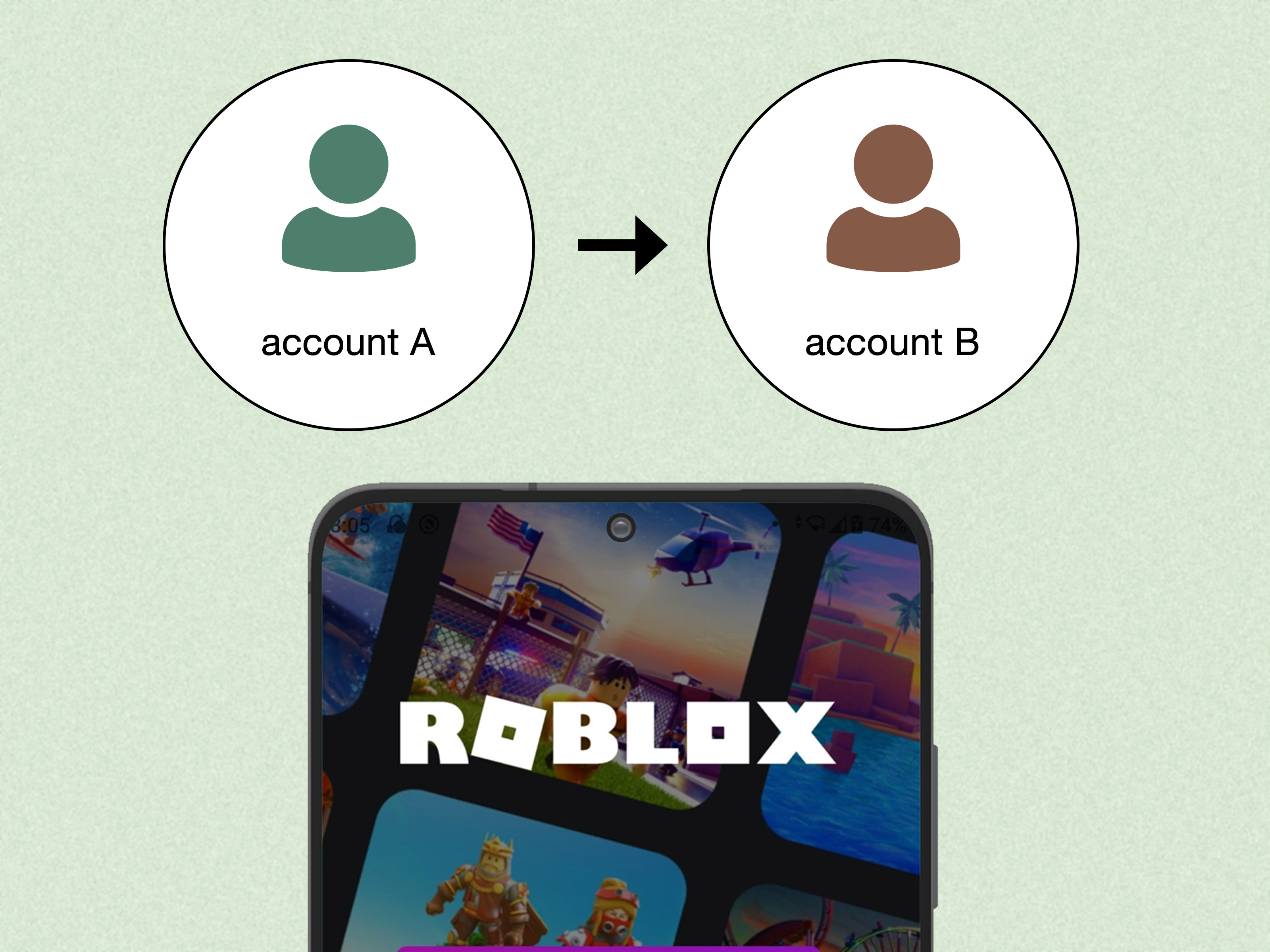
Roblox error messages usually arrive at the worst possible time. You are ready to join your favorite experience, your avatar is mentally prepared for greatness, and thenboomRoblox Error Code 600 appears like a tiny digital bouncer at the door. The good news is that Error Code 600 has a specific meaning. The less-good news is that it is not usually fixed by smashing the “Play” button 37 times, although many players have bravely tried.
Roblox Error Code 600 means your account has been banned from a specific experience by that experience’s creator or moderation system. In plain English, Roblox itself may not have banned your entire account. Instead, the individual game, world, or experience you are trying to join has blocked your access.
This guide explains what Error Code 600 means, why it happens, how it differs from other Roblox error codes, and what you can realistically do to fix it. We will also cover what not to do, because ban evasion is one of those ideas that sounds clever for about eight seconds and then makes the situation worse.
What Is Roblox Error Code 600?
Roblox Error Code 600 is an experience-level ban message. It usually appears when the creator or moderation system of a specific Roblox experience has restricted your account from entering that experience. This does not always mean your entire Roblox account is banned. You may still be able to log in, chat where allowed, customize your avatar, buy items, and play other Roblox experiences.
Think of Roblox as a giant mall full of different stores. Error Code 600 does not necessarily mean security kicked you out of the whole mall. It may mean one store told you, “Sorry, not today.” That store may have its own rules, moderators, automated filters, group systems, or ban appeal process.
Error Code 600 in Simple Terms
Here is the simplest breakdown:
- Error Code 600 usually means you are banned from one Roblox experience.
- The ban is typically issued by the experience creator, not Roblox platform-wide moderation.
- You can often still access other experiences unless your Roblox account has a separate moderation action.
- Roblox Support usually cannot remove creator-issued experience bans.
- The best fix is to contact the experience creator or follow their appeal process.
Common Causes of Roblox Error Code 600
Roblox Error Code 600 can happen for several reasons. Some are obvious, some are confusing, and some make players say, “Wait, what did I even do?” Below are the most common causes.
1. Violating the Experience’s Rules
Many Roblox experiences have rules beyond Roblox’s general Community Standards. For example, a roleplay game may ban trolling, a trading game may ban scamming behavior, and a competitive game may ban exploiting, harassment, or disruptive conduct. If the creator’s moderation team believes your account broke those rules, they may ban you from that experience.
Custom rules can vary widely. One game may be relaxed, while another treats spam jumping on the mayor’s desk as a constitutional crisis. Always check the game description, group wall, community server rules, or in-game notices when available.
2. Using Exploits, Scripts, or Unauthorized Tools
Using cheats, executors, scripts, automation tools, or modified clients can trigger bans in many Roblox experiences. Even if the tool seems harmless, it may be detected as unfair behavior. Experience creators often use anti-cheat systems that flag unusual movement, impossible speed, suspicious clicks, abnormal teleporting, or gameplay patterns that do not match normal player behavior.
If Error Code 600 appeared after using a third-party tool, the likely fix is not technical. The likely fix is to stop using the tool and appeal honestly if the creator allows appeals.
3. Harassment, Toxic Chat, or Inappropriate Behavior
Roblox experiences often have community moderation for chat behavior. Insults, threats, bullying, slurs, sexual comments, spam, and targeted harassment can all lead to a ban. In many games, moderators do not need to watch the entire drama unfold like a courtroom TV episode. Reports, chat logs, and automated moderation systems may be enough for action.
If you believe the situation was misunderstood, keep your appeal short, calm, and factual. “Your mod team is trash” is not an appeal. It is a fast pass to staying banned.
4. Alt Account or Ban Evasion Detection
Some players see Error Code 600 with wording that suggests the account was used to avoid an earlier enforcement action. That can happen when an experience believes a user is trying to rejoin with another account after being banned.
Do not create alternate accounts to bypass a ban. Ban evasion can turn a fixable problem into a bigger one. If the ban was a mistake, appeal through the creator’s official process rather than trying to sneak back in wearing a digital mustache.
5. Automated Moderation Mistakes
Automated systems are useful, but they are not magical truth machines. Sometimes a player may be flagged by mistake because of shared devices, unusual account patterns, false reports, server bugs, or anti-cheat confusion. If you did nothing wrong, do not panic. Gather details, stay polite, and contact the experience creator with a clear explanation.
6. Group, Private Server, or Community Restrictions
Some Roblox experiences are linked to groups or communities. If you were removed from a group, blocked by a community system, or restricted from a private server, Error Code 600 may appear when you try to join. This is especially common in roleplay groups, military-style groups, trading communities, and games with ranked access.
How to Fix Roblox Error Code 600
The right fix depends on whether the issue is truly a creator-issued ban or something else pretending to be one. Use the steps below in order.
Step 1: Test Other Roblox Experiences
First, try joining a different Roblox experience. If other games load normally, your Roblox account and internet connection are probably fine. That strongly suggests Error Code 600 is limited to one experience.
If no experiences load, you may be dealing with a different problem, such as a Roblox outage, device issue, outdated app, network restriction, or another error code.
Step 2: Read the Exact Error Message
Do not ignore the wording. Roblox error messages often contain clues. If the message says you are banned from an experience, that points toward creator moderation. If it mentions being kicked, connection failure, outdated version, or permission problems, you may be looking at a different issue.
Screenshot the message if you plan to appeal. A screenshot helps you remember the exact wording and gives the creator’s support team something specific to review.
Step 3: Check the Experience Page and Group
Open the experience’s Roblox page. Look for:
- Game description updates
- Group links
- Community wall posts
- Social links shared by the creator
- Appeal forms or support instructions
- Rules listed in the description or group
Many popular Roblox experiences have a specific ban appeal process. If the creator says appeals must go through a form, use the form. Sending random angry messages to every staff member you can find is not a support strategy; it is digital doorbell ditching.
Step 4: Contact the Experience Creator Politely
Because Error Code 600 is usually issued by the experience creator, the creator or their moderation team is the main party that can review it. You may be able to contact them through Roblox messages, group walls, in-experience communities, or official social links listed on the experience page.
Your message should be respectful and concise. Try something like this:
Hello, I received Roblox Error Code 600 when trying to join [Experience Name]. I believe the ban may be a mistake. My username is [Your Username]. Could you please review the ban when you have time? I’m happy to provide any details needed. Thank you.
That message is calm, clear, and easy to process. It also does not include 19 crying emojis, a threat to “report everyone,” or a dramatic speech about betrayal. Excellent start.
Step 5: Be Honest in Your Appeal
If you broke a rule, admit it briefly and explain what you will do differently. Many moderators are more likely to consider an appeal when the player shows they understand the issue. A good appeal might say:
I understand I was banned for spamming chat during the event. I apologize and will not repeat it. I would appreciate a second chance if possible.
A bad appeal says:
I did nothing wrong, your game is bad, unban me now.
One sounds like a player who learned something. The other sounds like a raccoon got access to a keyboard.
Step 6: Wait for a Response
Creator teams may be busy, especially for large experiences with thousands of daily players. Give them time. Sending the same appeal every 10 minutes can make you look impatient or spammy, which is not the vibe you want when asking for mercy from the digital gatekeepers.
Step 7: Check Roblox Status if the Error Seems Widespread
If many players suddenly report errors at the same time, check Roblox’s official status page. A platform outage usually causes connection errors, loading problems, or service disruptions, not a single-player experience ban. Still, checking status can help you avoid chasing the wrong fix.
Step 8: Update Roblox if You See Other Error Codes Too
Updating Roblox is not the main fix for Error Code 600. However, if you are also seeing update messages, loading failures, or version-related errors, install the latest Roblox app from the official app store for your device. Outdated versions can cause separate issues that make troubleshooting more confusing.
What Not to Do When You See Roblox Error Code 600
Some “fixes” floating around the internet are either useless or risky. Avoid these common mistakes.
Do Not Use Alt Accounts to Bypass the Ban
Creating another account to rejoin an experience after being banned can be treated as ban evasion. That may lead to longer restrictions and make your appeal harder to win. If the ban is wrong, appeal it. If the ban is fair, learn from it and move forward.
Do Not Download “Error Code Fixer” Tools
There is no magical Roblox Error Code 600 repair program. Be careful with downloads claiming to remove bans, unlock accounts, generate Robux, or bypass moderation. These tools can steal your account, install malware, or make your situation much worse.
Do Not Harass Creators or Moderators
Even if you feel the ban was unfair, harassment will not help. Moderators are more likely to review a calm appeal than a message that looks like it was typed during a lightning storm.
Do Not Assume Roblox Support Can Remove It
Roblox Support can help with platform-wide account issues, billing problems, safety reports, and certain moderation appeals. But for creator-issued bans inside a specific experience, the creator’s team usually controls the decision.
Roblox Error Code 600 vs. Other Roblox Error Codes
Roblox has several error codes, and mixing them up can lead to the wrong fix. Here is a simple comparison:
- Error Code 600: Usually banned from a specific experience by the creator.
- Error Code 267: Often means you were kicked or banned from an experience, sometimes by a script or moderation system.
- Error Code 279: Usually a connection problem that prevents Roblox from joining a game server.
- Error Code 280: Usually means your Roblox version may be outdated.
- Error Code 403: Often relates to access denial or authorization problems.
- Error Code 524: Usually means you do not have permission to join a server, such as a VIP or private server.
This matters because each code has a different solution. Reinstalling Roblox may help with update issues, but it will not remove an experience ban. Likewise, appealing to a creator will not fix a weak Wi-Fi signal. Troubleshooting is easier when you chase the correct villain.
Can You Get Unbanned From a Roblox Experience?
Yes, sometimes. Whether you can get unbanned depends on the creator’s rules, the reason for the ban, the evidence, and whether the experience has an appeal process. Some bans are temporary. Some are permanent. Some creators review appeals carefully, while others may not offer appeals at all.
Your best chance is to be respectful, provide your username, explain what happened, and avoid blaming everyone else. If you made a mistake, acknowledge it. If you believe the ban was incorrect, explain why clearly and include any helpful context.
What to Include in a Ban Appeal
- Your Roblox username
- The name of the experience
- The date or approximate time the error appeared
- A screenshot of the message, if available
- A calm explanation of what happened
- A short apology if you broke a rule
- A request for review, not a demand
Is Roblox Error Code 600 Permanent?
Roblox Error Code 600 can be temporary or permanent depending on the experience creator’s moderation system. Some games issue temporary bans for spam, minor rule-breaking, or event disruption. Others issue permanent bans for exploiting, scamming, harassment, or repeated violations.
If the message does not mention a duration, look for appeal instructions from the creator. If you cannot find any, you may need to wait or contact the creator’s community team. Unfortunately, not every creator responds to ban requests, especially for large experiences with huge player bases.
Practical Example: What Error Code 600 Might Look Like
Imagine you play a popular trading experience. You get into an argument in chat, someone reports you, and a moderator reviews the logs. The next day, you try to join and see Error Code 600. You can still play other Roblox experiences, but not that one. In this case, your fix is not clearing cache. Your fix is contacting the experience creator, checking the rules, and submitting an appeal if available.
Now imagine a different situation. You have never played the experience before, but you still receive Error Code 600. That could be a mistaken flag, a shared-device issue, an automated moderation error, or a restriction related to group access. Again, the best next step is to contact the creator with a calm review request.
Extra Experience-Based Tips for Roblox Error Code 600
After looking at how players usually react to Roblox Error Code 600, one pattern becomes very clear: most people treat it like a normal technical error at first. They restart Roblox, restart their phone, restart the router, clear cache, reinstall the app, glare at the screen, and maybe accuse the Wi-Fi of having personal feelings. Those steps are understandable, but they often miss the point. Error Code 600 is usually not your device crying for help. It is the experience saying your account is not allowed in.
The most useful habit is to separate emotional reaction from practical action. Getting banned feels frustrating, especially if you believe it was unfair. But the first hour after seeing the error is when many players make the worst choices. They spam the group wall, create alt accounts, argue with moderators, or post angry comments. Those actions can make the ban look more justified, even if the original restriction was questionable.
A better approach is to document everything. Write down the experience name, your username, the exact message, and what you were doing before the error appeared. If you were in a heated chat, be honest with yourself about what was said. If you used any third-party software, remove it and do not use it again. If you share a device or network with siblings, consider whether another account may have been involved in a moderation issue.
For parents helping younger players, the key is to avoid assuming the child is either completely innocent or definitely guilty. Experience bans can happen for real rule violations, misunderstandings, automated flags, or account security problems. Ask calm questions: What game was it? What were you doing? Did anyone else use the account? Did you click any suspicious links? Did you download anything claiming to help with Roblox? This turns the situation into a learning moment instead of a family courtroom drama.
Players should also understand that creators are not customer-service robots waiting behind a curtain. Many Roblox experiences are run by small teams, volunteer moderators, or young developers managing huge communities. A polite appeal is easier for them to review than a long emotional essay. Keep it short, include the facts, and give them time.
Finally, remember that one experience ban is not the end of your Roblox life. Roblox has millions of experiences, and many players eventually move on to new games, new groups, and better communities. If your appeal succeeds, great. If it does not, learn from the situation and protect your account going forward. Follow rules, avoid suspicious tools, keep your login secure, and treat other players like actual humans rather than NPCs with Wi-Fi.
Conclusion
Roblox Error Code 600 means your account has likely been banned from a specific Roblox experience by that experience’s creator or moderation system. It is not usually a basic connection error, and it is not always a platform-wide Roblox account ban. The smartest fix is to confirm whether other experiences work, read the exact message, check the creator’s rules, and submit a respectful appeal if the creator provides a way to do so.
Do not use alt accounts, shady “ban remover” tools, or angry messages. Those are not fixes; they are side quests with bad endings. Stay calm, gather details, contact the right people, and remember that Roblox is huge. One closed door does not mean the entire platform has disappeared into the digital fog.
SEO Tags
Note: This article is written for web publishing and reflects currently available Roblox support information and practical troubleshooting guidance. Players should always follow Roblox Community Standards and the rules of each individual experience.