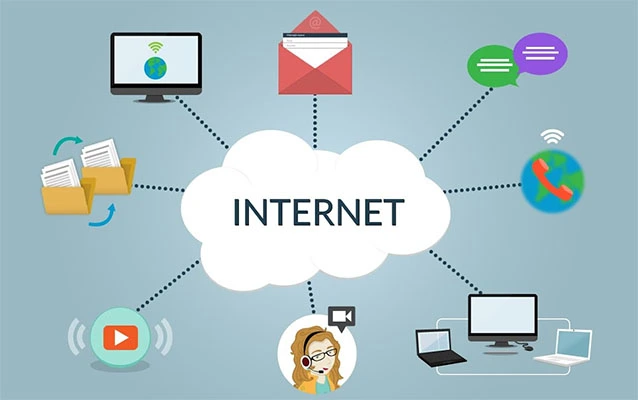
Computer networking can look like a wall of blinking lights, mysterious acronyms, and cables that somehow become tangled while nobody is watching. Underneath the drama, however, a network has a straightforward purpose: it lets devices communicate and share resources.
This guide covers the essentials: network types, hardware, protocol models, IP addressing, subnetting, DNS, DHCP, security, and troubleshooting. By the end, terms such as gateway, packet, port, and subnet should feel like useful tools rather than wizard vocabulary.
What Is Computer Networking?
Computer networking is the practice of connecting devices so they can exchange data and use shared services. Those devices may include laptops, phones, servers, printers, cameras, smart appliances, virtual machines, and cloud applications. Communication happens through agreed rules called protocols, carried over wired or wireless links.
A home network may connect a handful of devices, while an enterprise network can link offices, data centers, cloud platforms, and remote workers. The scale changes, but the job remains the same: identify the destination, move the data, and deliver it in a usable form.
Research basis:
Common Types of Networks
Local Area Network (LAN)
A local area network covers a limited space such as a home, school, or office. Ethernet and Wi-Fi commonly connect its devices, and one household or organization usually manages it.
Wireless Local Area Network (WLAN)
A WLAN uses radio signals to connect devices through wireless access points. Wi-Fi is convenient, but walls, interference, congestion, and access-point placement affect performance.
Wide Area Network (WAN)
A wide area network connects systems across larger distances. Companies use WANs to link offices, and the internet is the best-known global example.
Virtual Private Network (VPN)
A VPN creates an encrypted connection across another network, commonly the internet. It can protect remote access to internal resources, but it does not make a compromised device trustworthy. No tunnel can fix a laptop with twelve suspicious browser toolbars.
Research basis:
The Essential Pieces of Network Hardware
Network Interface
A network interface lets a device join a network. It may be an Ethernet adapter, Wi-Fi radio, or virtual interface assigned to a cloud server.
Switch
A switch connects devices within a local network. It learns which MAC addresses are reachable through its ports and forwards Ethernet frames toward the correct destination instead of repeating every frame everywhere.
Router
A router moves packets between IP networks. It checks each destination against a routing table and selects a next hop. Home routers often combine routing, Wi-Fi, firewall, DHCP, and NAT functions.
Wireless Access Point
An access point bridges Wi-Fi clients to a wired network. It may be built into a home router or deployed as several centrally managed units in an office.
Modem or Internet Gateway
A modem or provider gateway connects the local network to internet service. It is useful to distinguish this device from the router, even when both functions live in one plastic box.
Research basis:
How Data Moves: Packets, Frames, and Layers
Applications divide data into manageable units and add control information as it moves through a protocol stack. Depending on the layer, the unit may be called a segment, datagram, packet, or frame.
The OSI Model
The OSI model organizes networking into seven conceptual layers: physical, data link, network, transport, session, presentation, and application. Real systems do not fit perfectly into seven drawers, but the model is excellent for troubleshooting.
A damaged cable is a Layer 1 problem, a wrong VLAN may be Layer 2, a missing route is Layer 3, and a blocked TCP port may involve Layer 4. Layers discourage the classic method of changing random settings until lunch.
The TCP/IP Model
The TCP/IP model is commonly described with network access, internet, transport, and application layers. Ethernet and Wi-Fi carry local traffic, IP handles addressing and forwarding, TCP and UDP provide transport, and protocols such as HTTP, DNS, and SSH serve applications.
Research basis:
IP Addresses and Subnetting
IPv4 and IPv6
An IP address identifies an interface in an IP network. IPv4 addresses are 32 bits long and commonly appear as four decimal numbers, such as 192.168.1.25. IPv6 uses 128-bit hexadecimal addresses and provides a far larger address space.
IP mainly delivers packets across interconnected networks; it does not by itself guarantee ordered, reliable arrival. Higher-layer protocols and applications add reliability when needed.
Public and Private Addresses
Public IP addresses are internet-routable, while private IPv4 ranges serve internal networks. NAT lets many private devices share one or a small pool of public addresses.
Subnet Masks and CIDR
A subnet divides an address into network and host portions. CIDR notation places the prefix length after a slash; 192.168.10.0/24, for example, uses 24 network bits. Subnetting organizes devices, limits broadcasts, supports policy, and conserves address space.
Start with one rule: a longer prefix creates a smaller subnet, while a shorter prefix describes a larger range. Game-show-speed binary arithmetic can wait.
Default Gateway
To reach an address outside its subnet, a device normally sends the packet to a default gateway, usually a local router interface. The router then selects the next route.
Research basis:
Core Network Services and Protocols
DHCP: Automatic Configuration
DHCP automatically supplies clients with an IP address, subnet prefix, default gateway, and DNS information. Manual configuration is possible, but it is also a reliable way to create duplicate addresses at 4:55 p.m. on Friday.
DNS: Names to Addresses
DNS translates human-friendly names into records computers can use, especially IP addresses. A resolver checks cached information or queries DNS servers, saving people from memorizing numerical addresses.
ARP and Neighbor Discovery
On an IPv4 LAN, ARP finds the MAC address associated with a local IP address. IPv6 Neighbor Discovery performs related functions, connecting IP addressing with link-layer delivery.
TCP and UDP
TCP is connection-oriented and provides ordered, reliable byte-stream delivery. UDP offers a lighter datagram service without built-in delivery guarantees. TCP favors dependable transfer; UDP favors lower overhead or timely delivery when the application can manage loss.
Ports and Application Services
TCP and UDP ports direct traffic to the correct service. One IP address can support many conversations because protocols, addresses, and ports distinguish each flow. Examples include HTTPS on TCP 443, DNS commonly on 53, and SSH on TCP 22.
Research basis:
Bandwidth, Latency, Jitter, and Packet Loss
Performance is not speed alone. Bandwidth is carrying capacity, latency is delay, jitter is variation in delay, and packet loss means data failed to arrive.
Downloads benefit from bandwidth, while voice and video need low latency, jitter, and loss. That is why a great speed-test number can coexist with a meeting that sounds like it is hosted from separate submarines.
Networking Security Fundamentals
Use Segmentation
Segmentation creates smaller security zones. Guests, employees, servers, management interfaces, and public services should not share unrestricted access. VLANs, subnets, and firewall policies limit unnecessary communication and contain compromised devices.
Apply Firewall Rules Deliberately
A firewall controls traffic between different security zones. Good rules permit required communication and deny unnecessary exposure. “Allow everything” may produce five peaceful minutes, but it is not an architecture.
Secure Identity and Administration
Use strong authentication, multifactor authentication, separate administrator accounts, secure management protocols, current software, and configuration backups. Disable unused services and replace default credentials.
Adopt a Verify-First Mindset
Zero-trust guidance rejects automatic trust based on network location. Access should consider identity, device condition, resource sensitivity, and policy, with explicit authentication and authorization.
Research basis:
A Practical Troubleshooting Method
Troubleshooting is easier with a repeatable sequence that starts with simple explanations and moves upward through the stack.
- Define the symptom. Is one application failing, one device offline, one room affected, or the entire site disconnected?
- Check the physical link. Inspect power, cables, Wi-Fi signal, interface status, and switch-port indicators.
- Verify local configuration. Confirm the IP address, subnet prefix, gateway, and DNS servers. An address beginning with an automatic fallback range may indicate that DHCP failed.
- Test in stages. Reach the local interface, then the gateway, then a remote IP address, and finally a domain name. This helps separate local, routing, internet, and DNS problems.
- Review routes and filtering. Check routing tables, VLAN membership, firewall logs, access-control rules, and recent changes.
- Measure rather than guess. Use tools such as
ping,tracerouteortracert,ipconfig,ifconfigorip,nslookupordig, and packet capture software when appropriate. - Change one thing at a time. Record the original state, make a controlled adjustment, test, and document the result.
The goal is to narrow the failure domain. Reaching a public IP but not a domain suggests DNS trouble. If many devices fail together, inspect shared equipment or the upstream service before reconfiguring every laptop into modern art.
A Simple Network Design Example
Imagine a 20-person business with guests, printers, cameras, and cloud accounting. A sensible design uses a business firewall, managed switch, well-placed access points, and separate segments for employees, guests, and cameras.
DHCP assigns client settings, while infrastructure uses reserved addresses. Guests reach the internet but not internal systems; cameras reach only required services; and management interfaces remain limited to authorized staff.
These boundaries reduce exposure and simplify troubleshooting. When guest Wi-Fi fails, accounting should not have to join the adventure.
Research basis:
Experience-Based Lessons From Learning Networking Fundamentals
One of the most useful experiences in learning networking is discovering that a complicated outage often has a very ordinary cause. Beginners naturally assume the router has suffered a dramatic internal crisis. In practice, the culprit may be a loose cable, an expired DHCP lease, an incorrect gateway, a disabled interface, or a DNS server taking an unscheduled nap.
A memorable lab exercise is to build a tiny network with two computers and a switch. Assign valid addresses in the same subnet and test communication. Then deliberately change one subnet mask, remove a gateway, or block a port. Breaking the network on purpose turns abstract concepts into visible behavior. It also removes the fear of troubleshooting because the learner knows every failure has a cause that can be observed.
Another valuable lesson comes from testing with both names and addresses. Suppose a browser cannot open a website. Pinging the website name fails, but reaching a known public IP address succeeds. That contrast points toward name resolution rather than a total connectivity failure. This small habitseparating DNS from routingcan save a remarkable amount of time.
Packet captures also change the way networking feels. At first, a capture looks like thousands of tiny rows designed to punish human eyesight. After filtering for a host, protocol, or port, patterns appear: an ARP request asks who owns an address, a DNS query requests a record, a TCP connection begins, and application data follows. The network stops being invisible and becomes a conversation that can be inspected.
Hands-on practice also teaches respect for documentation. Informal memory is helpful until two vendors use different interface names, defaults, or command syntax. Recording IP plans, VLAN assignments, device roles, cable destinations, firewall rules, and configuration changes makes future troubleshooting faster. A one-page network diagram can outperform an hour of heroic guessing.
Security exercises offer another practical insight: convenience and exposure often increase together. Placing every device on one flat network is easy on day one, but it creates unnecessary trust relationships. Separating guests, cameras, servers, and administrators requires a little planning, yet it limits lateral movement and clarifies policy. The effort feels especially worthwhile when an inexpensive smart device decides it needs to contact half the planet before breakfast.
Performance testing creates similar perspective. A high-bandwidth connection does not eliminate latency, Wi-Fi interference, congestion, or packet loss. Testing near an access point, then farther away, then over Ethernet shows how the medium and environment affect results. Comparing those measurements prevents the common mistake of blaming the internet provider for every pause caused by a weak indoor wireless signal.
The best overall learning approach is iterative: study one concept, build a small example, observe normal behavior, introduce one failure, diagnose it, and write down what happened. Networking fundamentals become durable when they are connected to evidence. Over time, the acronyms remain numerous, but they stop feeling random. Each one becomes part of a system for answering three practical questions: Who is communicating, where is the destination, and what must happen for the data to arrive safely?
Conclusion
Networking fundamentals are the foundation of nearly every modern digital service. A working network depends on physical and wireless links, switches, routers, addressing, routes, transport protocols, application services, and security controls cooperating across layers.
Begin with the essentials: understand how a LAN differs from a WAN, learn what switches and routers do, practice reading IP addresses and CIDR prefixes, and become comfortable with DHCP, DNS, TCP, UDP, and ports. Then build small labs and troubleshoot methodically. You do not need to memorize the entire internet. You only need to understand the next packet well enough to ask where it came from, where it is going, and why it may have taken a wrong turn near the office printer.