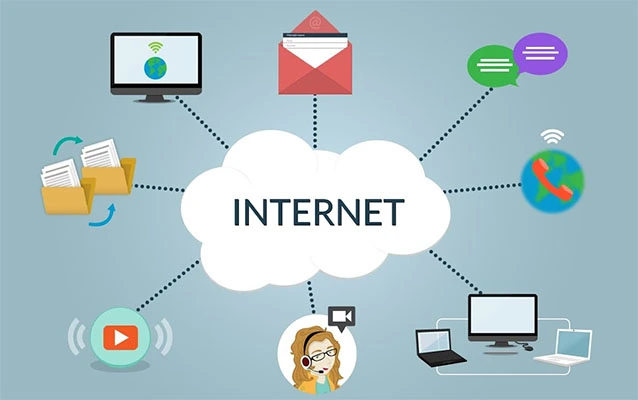
Technology is no longer something students “use sometimes.” It is how they research, write, create, collaborate, communicate, organize assignments, explore careers, and occasionally discover that a printer can smell fear. From elementary school tablets to high school AI tools, students are surrounded by digital systems that shape how they learn and how they participate in the world.
But being “good with technology” does not simply mean knowing how to swipe, scroll, or find the Wi-Fi password faster than an adult. True technology literacy means understanding how digital tools work, how to use them responsibly, how to protect personal information, and how to think critically when a screen offers an answer that looks confident but may be completely wrong.
That is why students need more than random app knowledge. They need a practical foundation in essential tech topics: digital literacy, cybersecurity, computational thinking, artificial intelligence, data literacy, and responsible online behavior. These skills help students succeed in school today and prepare for college, careers, and civic life tomorrow.
Below are five essential technology topics every student should understand, explained in a clear, useful, and slightly less boring way than a 74-slide presentation titled “Digital Transformation Initiative.”
1. Digital Literacy and Everyday Tech Skills
Digital literacy is the ability to use technology confidently, safely, and effectively in real situations. For students, this includes basic device skills, file management, typing, online research, email etiquette, productivity tools, and the ability to move between different platforms without turning every assignment into a tech emergency.
Why digital literacy matters
A student who knows how to create a document, organize files, use a spreadsheet, build a presentation, and troubleshoot common problems has a major advantage. These skills save time and reduce frustration. More importantly, they help students focus on learning instead of battling the technology.
For example, imagine two students working on a science project. One student saves every file as “final,” “final2,” “actualfinal,” and “finalfinalreallythistime.” The other student creates a folder, names files clearly, stores sources, and backs everything up. Both may understand the science, but only one will still be smiling the night before the project is due.
Key digital literacy skills students should practice
Students should understand how to use hardware and software, manage files, type efficiently, search the web strategically, evaluate websites, use word processors, create slides, work with spreadsheets, and collaborate in shared documents. They should also know basic troubleshooting steps, such as checking connections, restarting an app, updating software, and asking precise questions when something breaks.
Digital literacy also includes knowing that different tools have different purposes. A group chat may be fine for quick reminders, but a shared document is better for editing a report. A spreadsheet is better for organizing survey results than a wall of random text. A presentation should support the speaker, not contain every sentence the speaker has ever thought.
2. Cybersecurity and Online Privacy
Cybersecurity is the practice of protecting devices, accounts, networks, and information from digital threats. Online privacy is about controlling what personal information is shared, collected, and stored. Students need both, because modern school life often involves online accounts, cloud storage, learning platforms, email, apps, and digital communication.
Passwords, phishing, and account safety
Students should learn how to create strong passwords, avoid reusing the same password everywhere, and use multi-factor authentication when available. A password should not be “password123,” a pet’s name, or the name of a favorite celebrity plus a birthday. That is not security; that is a welcome mat for trouble.
Phishing is another major topic. Phishing messages try to trick people into giving away passwords, money, or personal details. These messages may look like school announcements, scholarship offers, package alerts, fake login pages, or urgent warnings. Students should slow down before clicking links, check sender addresses, avoid entering passwords through suspicious links, and ask a trusted adult or teacher when something feels off.
Privacy is not just an adult problem
Students also need to understand that personal information has value. Names, birthdays, school details, photos, location data, student IDs, and login credentials can all be misused. Privacy awareness helps students make smarter choices about apps, forms, quizzes, games, and social platforms.
In school settings, student records and education data are protected by privacy rules. Students may not need to memorize every legal detail, but they should understand the basic idea: personal learning information should be handled carefully. Before using a new app or online service, students should think about what information it collects, why it needs that information, and whether the request makes sense.
Good cybersecurity habits for students
Students should update devices, avoid suspicious downloads, log out of shared computers, keep passwords private, use secure networks when possible, and report strange account activity. Cybersecurity is not about being paranoid. It is about being prepared. Think of it like locking a bike. You are not assuming everyone is a bike thief; you are simply not donating your bike to the universe.
3. Computational Thinking and Basic Coding Concepts
Computational thinking is a problem-solving approach that helps students break big problems into smaller parts, look for patterns, create step-by-step solutions, and test whether those solutions work. Coding is one way to apply computational thinking, but students do not have to become professional programmers to benefit from it.
The four big ideas of computational thinking
Students should understand decomposition, pattern recognition, abstraction, and algorithms. Decomposition means breaking a problem into smaller steps. Pattern recognition means noticing similarities. Abstraction means focusing on the most important details and ignoring distractions. An algorithm is a clear set of instructions for solving a problem.
For example, planning a school event uses computational thinking. Students break the event into tasks, find patterns from previous events, ignore unnecessary details, and create a schedule. That is not “just planning.” That is structured problem-solving, and it is the same kind of thinking used in software development, engineering, robotics, data analysis, and design.
Why coding still matters
Even if a student does not plan to become a software engineer, basic coding concepts are useful. Coding teaches logic, persistence, creativity, debugging, and precision. Students learn that computers do exactly what they are told, not what the programmer secretly hoped they would understand. This is a humbling experience, much like giving directions to a robot that takes everything literally.
Students should become familiar with concepts such as sequences, loops, conditionals, variables, functions, and debugging. These ideas appear in many coding languages and digital tools. Understanding them helps students make websites, games, apps, animations, simulations, and interactive projects.
Computational thinking beyond computer class
Computational thinking supports learning across subjects. In math, students can create formulas and models. In science, they can simulate systems. In social studies, they can analyze patterns in historical or population data. In English, they can organize research and structure arguments. The goal is not to turn every class into coding class. The goal is to help students think clearly when problems get complicated.
4. Artificial Intelligence and Data Literacy
Artificial intelligence, or AI, is now part of search engines, writing tools, translation apps, recommendation systems, tutoring platforms, image generators, and chatbots. Students do not need to know every technical detail of machine learning, but they should understand what AI can do, what it cannot do, and how to use it responsibly.
AI is powerful, but it is not magic
AI tools can summarize text, suggest ideas, generate examples, explain concepts, create images, organize information, and help students practice skills. However, AI can also make mistakes, invent facts, reflect bias, misunderstand context, or produce work that sounds polished but lacks accuracy. A confident answer is not always a correct answer.
Students should learn to treat AI like a helpful assistant, not an all-knowing oracle wearing a graduation cap. AI can support brainstorming, studying, and revision, but students still need to verify information, cite sources when required, follow school rules, and do their own thinking.
Responsible AI use in school
Students should understand the difference between using AI to learn and using AI to avoid learning. Asking a chatbot to explain a confusing concept can be helpful. Copying an entire AI-generated essay and submitting it as original work is not learning; it is outsourcing your brain and hoping nobody notices.
Responsible AI use includes checking facts, protecting personal information, avoiding private or sensitive details in prompts, respecting academic integrity, and understanding when human judgment matters. Students should also know that AI systems are built by people, trained on data, and shaped by design choices. That means fairness, transparency, privacy, and accountability are essential parts of AI literacy.
Data literacy: the skill behind smart decisions
Data literacy is the ability to collect, read, analyze, interpret, and communicate data. It helps students understand charts, surveys, statistics, trends, and claims. This matters because students encounter data everywhere: sports stats, climate graphs, school performance dashboards, health information, social media metrics, and news stories.
A data-literate student knows that a graph can be useful, confusing, or misleading depending on how it is designed. They ask questions: Who collected this data? How large was the sample? What is missing? Does the chart show correlation or causation? Is the scale honest, or is it being dramatic for attention?
AI and data literacy belong together because AI depends on data. If students understand data quality, bias, privacy, and interpretation, they are better prepared to use AI tools wisely.
5. Digital Citizenship, Media Literacy, and Online Communication
Digital citizenship means using technology in ways that are ethical, respectful, safe, and constructive. Media literacy means understanding how digital messages are created, shared, promoted, and interpreted. Together, these skills help students navigate online spaces without becoming confused, manipulated, or accidentally famous for the wrong reason.
Students need to evaluate online information
The internet contains excellent educational resources, hilarious videos, thoughtful commentary, outdated advice, fake images, misleading headlines, and comment sections that sometimes resemble a raccoon fight in a keyboard factory. Students need strategies for sorting reliable information from nonsense.
They should check who created the content, when it was published, what evidence is provided, whether other credible sources confirm it, and whether the headline exaggerates the facts. Students should also understand sponsored content, influencer marketing, algorithmic recommendations, and how platforms may reward emotional reactions over accuracy.
Online communication leaves a footprint
Students should know that online actions can have long-term effects. Posts, comments, photos, usernames, and shared content can contribute to a digital footprint. This does not mean students should be afraid to participate online. It means they should think before posting, respect others, avoid harassment, and understand that private messages are not always as private as they feel.
Good online communication includes clarity, kindness, context, and responsibility. Students should learn how to disagree without attacking, how to collaborate in digital spaces, how to give credit for ideas and media, and how to respond when they see harmful or inappropriate behavior.
Digital wellness is part of digital citizenship
Students should also understand how technology affects attention, sleep, mood, productivity, and relationships. This does not mean every screen is bad. Technology can connect students, support creativity, and open doors to learning. But students need healthy habits, such as setting boundaries, taking breaks, managing notifications, and recognizing when endless scrolling is replacing rest, homework, or real conversation.
How These Five Tech Topics Work Together
These five essential tech topics are connected. Digital literacy helps students use tools. Cybersecurity protects their accounts and information. Computational thinking helps them solve problems. AI and data literacy help them understand modern systems. Digital citizenship helps them communicate responsibly and evaluate information.
Together, these skills create confident, capable learners. A student who understands these topics can research a project, organize files, analyze data, use AI responsibly, protect privacy, build a simple program, collaborate online, and evaluate digital information. That student is not just using technology. That student is thinking with technology.
Practical Ways Students Can Build These Skills
Students do not need to master everything at once. Technology learning works best when it is practical and connected to real tasks. Here are a few simple ways students can build stronger tech skills over time.
Create a personal file system
Students can organize school files by subject, date, or project. This builds digital responsibility and saves future stress. A clean folder system may not sound exciting, but neither does losing a final project five minutes before submission.
Practice safe account habits
Students can use strong passwords, turn on multi-factor authentication where available, and avoid sharing login details. They can also learn how to spot suspicious messages and report them.
Try beginner coding activities
Students can use block-based coding, simple web design, robotics kits, or beginner programming lessons. The goal is to learn logic and problem-solving, not to build the next billion-dollar app by Friday.
Use AI as a study partner
Students can ask AI tools to explain a topic in simpler language, create practice questions, suggest study outlines, or help revise writing. They should verify facts and avoid submitting AI-generated work as their own.
Question digital content
Students can pause before sharing posts, check sources, compare claims, and learn to recognize emotional manipulation, clickbait, and misinformation. A good rule: if a post makes you instantly furious, amazed, or ready to forward it to everyone, take ten seconds to verify it first.
Experiences Related to 5 Essential Tech Topics That Students Should Understand
In real classrooms, the importance of these five tech topics becomes obvious very quickly. Students often enter school with plenty of screen experience, but screen experience is not the same as technology understanding. A student may be excellent at editing short videos, finding memes, or customizing a profile, yet still struggle to attach the right file to an assignment, identify a fake login page, or explain why an AI answer needs fact-checking.
One common classroom experience involves group projects. At first, students may divide tasks casually: one person writes, one person designs slides, and one person says, “I’ll help later,” which is student language for “I have vanished into the mist.” When students understand digital collaboration tools, the process improves. They can use shared documents, version history, comments, folders, and clear file names. They learn that teamwork online requires structure, communication, and accountability. Technology does not automatically make collaboration better; students must know how to use the tools well.
Another experience appears during research assignments. Many students begin with the first search result and assume that if it looks official, it must be true. After learning media literacy, they become more careful. They compare sources, check dates, notice author credentials, and ask whether a website is informing, selling, entertaining, or persuading. This shift is powerful. Students stop treating the internet like a vending machine for answers and start treating it like a giant library where some shelves are excellent and others are labeled “probably not.”
Cybersecurity lessons also become real when students receive suspicious emails or messages. A fake scholarship offer, a strange link from a “school account,” or a too-good-to-be-true prize can become a practical learning moment. Students learn to pause, inspect, and report instead of clicking first and panicking later. These habits matter because young people often manage multiple accounts for school, games, apps, and communication. One weak password can create a chain reaction across several parts of their digital life.
AI literacy is another area where experience matters. Students quickly discover that AI tools can be helpful for brainstorming, summarizing, and practicing. But they also learn that AI can be confidently incorrect. In one useful exercise, students can ask an AI tool to explain a topic, then compare the response with trusted sources. This teaches a crucial lesson: technology can speed up learning, but it does not replace judgment. Students who learn this early are less likely to misuse AI and more likely to benefit from it.
Computational thinking shows up in unexpected places. Students use it when planning a video, organizing a debate, building a budget, designing a game, or solving a science problem. Once they understand decomposition and algorithms, they begin to see problems differently. Instead of saying, “This is too hard,” they learn to ask, “What is the first small step?” That mindset is useful far beyond computer science.
The biggest experience students gain from these topics is confidence. They begin to understand that technology is not something mysterious controlled by invisible experts in hoodies. It is a set of tools, systems, choices, and responsibilities. When students learn digital literacy, cybersecurity, computational thinking, AI and data literacy, and digital citizenship, they become better prepared for school, work, and life in a connected world.
Conclusion
Students do not need to become professional programmers, cybersecurity analysts, data scientists, or AI engineers to thrive in the modern world. But they do need a strong understanding of essential tech topics. Digital literacy helps them use tools effectively. Cybersecurity and privacy protect their information. Computational thinking helps them solve problems. AI and data literacy help them think critically about modern systems. Digital citizenship and media literacy help them communicate wisely and evaluate what they see online.
The best technology education is not about memorizing buttons or chasing every new app. It is about building flexible skills that students can use across devices, platforms, subjects, and future careers. Technology will keep changing, sometimes faster than schools can update their posters. But students who understand these five core topics will be ready to adapt, create, question, protect themselves, and participate responsibly.
In other words, the goal is not just to raise students who can use technology. The goal is to raise students who can understand it, shape it, and stay smart when it tries to shape them.