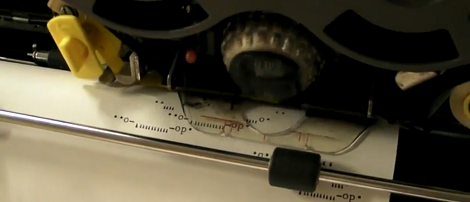
The IBM Selectric is not just a typewriter. It is a desk-sized mechanical ballet with a motor, cams, levers, springs, tapes, a rotating typeball, and enough personality to make a modern inkjet look like a plastic toaster with commitment issues. Turning an IBM Selectric into a printer sounds simple at first: make a computer press the keys, and let the machine type. Then the cover comes off, the mechanism lifts up, and the builder realizes IBM did not design a typewriter so much as a small mechanical civilization.
That is exactly why the project is so fascinating. A Selectric printer conversion sits at the intersection of vintage computing, electromechanical engineering, typewriter restoration, and maker culture. It is a way to make a modern computer talk through a machine that was born in the office world of the 1960s, when “cloud storage” meant losing a folder during a thunderstorm.
In this guide, we will explore what makes the IBM Selectric special, why people convert it into a printer or serial terminal, how the mechanism can be driven by electronics, what challenges show up during the build, and what the experience teaches about old technology that still has plenty of thunder left in its typeball.
Why the IBM Selectric Is the Perfect Vintage Printer Candidate
The IBM Selectric debuted in 1961 and quickly became one of the most famous electric typewriters ever made. Its signature feature was the removable spherical typing element, often called the “golf ball.” Instead of dozens of metal typebars swinging toward the page, one compact ball rotated and tilted to the correct character, then struck the ribbon and paper.
This design solved several problems common to traditional typewriters. Typebars could jam when typists moved too quickly. Moving carriages could shove paper out of alignment. Font changes were awkward or impossible. The Selectric replaced much of that chaos with a fixed platen, a traveling print mechanism, and interchangeable type elements. Swap the ball, and the same machine could type in a different typeface or symbol set. For an office worker in the 1960s, that was not merely convenient; it was almost magic with a power cord.
The Secret Sauce: Tilt, Rotate, and the Whiffletree
The magic trick behind the Selectric is its selection mechanism. Every character on the typeball has a position. To print a letter, the machine must tilt the ball to the right row and rotate it to the right column. This is done through mechanical logic, not software. The Selectric uses linkages known as whiffletrees to translate key actions into precise movement of the type element.
In modern language, the Selectric behaves like a mechanical digital-to-analog converter. Keypresses create combinations of mechanical inputs. Those inputs are converted into exact physical positions. The result is a machine that can select characters with astonishing speed and repeatability, even though its “processor” is made of metal arms, springs, pivots, and carefully adjusted geometry.
This is why the Selectric is so tempting for printer conversion. A normal manual typewriter would require one actuator for every key, and even then the force and timing would be a nightmare. The Selectric already has a compact internal language. If you can trigger the right selector levers in the right combinations, you can make the machine print computer-generated text.
Electric Typewriter vs. Electronic Typewriter
A major misunderstanding appears early in many Selectric projects: electric does not mean electronic. The standard IBM Selectric has a motor, a switch, and a lot of mechanical ingenuity. It does not have a microcontroller waiting politely for ASCII input. You cannot open the back, find a USB port, and whisper “print document.”
An electronic typewriter, especially later daisy wheel models, may include memory, digital controls, or external interfaces. A Selectric is different. It is electromechanical. The motor supplies power, but the logic lives in the mechanism. Therefore, turning a Selectric into a printer usually means adding external electronics that physically actuate the machine’s existing controls.
How a Selectric Printer Conversion Works
The basic idea is straightforward: a computer sends text to a microcontroller, and the microcontroller translates each character into the Selectric’s mechanical code. Then a set of solenoids pulls or pushes the correct levers. The typewriter cycles, the ball rotates and tilts, the ribbon meets the paper, and a real inked character appears with a loud, glorious clack.
In practice, the system usually needs several major parts:
- A working or restorable IBM Selectric, often a Selectric II because parts and examples are more common.
- A microcontroller such as an Arduino, Teensy, Raspberry Pi Pico, or similar board.
- Solenoids or other actuators to mimic key selection and control actions.
- Driver electronics, typically using transistors or MOSFETs, because microcontroller pins cannot power solenoids directly.
- Flyback diodes or other protection components to handle voltage spikes from coils.
- A separate power supply sized for the actuators.
- Software that maps characters into mechanical actions.
- Patience, which should probably be sold in bulk next to solder and machine oil.
Character Mapping: Teaching a Computer to Speak Typeball
The computer thinks in characters: A, B, C, comma, period, newline. The Selectric thinks in mechanical positions. A conversion project needs a translation table that maps each printable character to a set of selector movements. This map depends on the typeball, keyboard layout, and machine model.
For example, lowercase and uppercase letters may require different shift states. Some symbols may not exist on a particular type element. Special characters used in programming may require a custom ball or simply be unavailable. That means a Selectric printer is not always a full modern printer. It is better understood as a character printer with vintage limitations and spectacular charm.
ASCII text can be filtered before printing. Unsupported characters can be replaced with close alternatives. Smart quotes can become straight quotes. Long dashes can become hyphens. Tabs can become spaces. The project becomes much smoother when the software respects the physical machine instead of demanding that a 60-year-old mechanism behave like a laser printer with a pension plan.
The Role of Solenoids
Solenoids are a common choice because they convert electrical pulses into quick mechanical motion. When energized, a solenoid pulls a plunger. That motion can tug a linkage, trip a lever, or mimic part of a keypress. In a Selectric printer conversion, solenoids may be used to set character selection levers, trigger the print cycle, control shift, handle space, return, backspace, or ring a bell if the builder wants proper teletype drama.
The important part is timing. A solenoid must engage long enough to move the mechanism but not so long that it overheats or fights the typewriter’s cycle. The machine has its own rhythm, driven by cams and clutches. The electronics must wait for that rhythm instead of mashing commands like an impatient gamer on a sticky keyboard.
Printer, Terminal, or Art Machine?
There are several ways to define the finished project. A basic Selectric printer receives text and prints it. A more ambitious conversion becomes a serial terminal, allowing two-way communication with a computer. In that version, the machine may also detect keypresses, send typed input to a host system, and print returned output. That turns the Selectric into a paper terminal, similar in spirit to old teletype systems.
Some builders go further and treat the converted Selectric as an art machine. It can type poems from a website, print system logs, generate daily weather reports, or produce messages from a chatbot. The output is slow, loud, tactile, and beautiful. Watching a Selectric type computer-generated text is oddly emotional. It feels like the past has received an email and is answering with perfect posture.
What Makes the Project Difficult?
The first challenge is restoration. Many Selectrics have been sitting for decades. Old grease can harden. Belts can slip. Rubber parts can degrade. Dust and dried lubricant can make the mechanism sluggish. Before adding electronics, the machine must type reliably by hand. A weak or dirty Selectric will not become a better printer because a microcontroller is staring at it.
The second challenge is alignment. The Selectric is famous for having many precise adjustments. The typeball must strike cleanly. The tilt and rotate system must land exactly on the intended character. The escapement must advance evenly. The ribbon must feed properly. A small error can turn “HELLO” into “HFKKO,” which is charming once and annoying forever.
The third challenge is mechanical packaging. Solenoids need room, brackets, linkages, and clearance. A clean build tries to preserve the original case and avoid unnecessary damage. That means the builder has to mount new parts without blocking service access or interfering with existing motion. The result should look less like a typewriter attacked by a hardware store and more like a respectful collaboration between eras.
Why Not Just Use a Modern Printer?
Because modern printers are too easy, too quiet, and sometimes too emotionally unavailable. A laser printer can produce pages quickly, but it will not teach you much about mechanical logic. An inkjet may print photos, but it will also demand subscription ink with the confidence of a tiny office landlord.
A converted IBM Selectric is not practical in the usual sense. It is slow. It is loud. It prints one character at a time. It has no graphics mode unless your idea of graphics is “creative use of the letter X.” But it produces real impact-printed text with texture, rhythm, and historical character. It also demonstrates how computing worked before everything disappeared into chips and firmware.
For educators, museums, hackerspaces, and retrocomputing fans, that is the real value. The machine makes abstraction visible. Bits become levers. Characters become motion. Output becomes sound, ink, and vibration. You do not merely see the word printed; you witness it being physically negotiated into existence.
Practical Build Strategy
Start With a Healthy Machine
Begin by cleaning and testing the Selectric as a typewriter. Confirm that letters print correctly, the carriage advances smoothly, the return works, the ribbon feeds, and the motor runs consistently. Do not build electronics around a broken mechanism unless the goal is to create a very expensive noise sculpture.
Study the Mechanism Before Touching It
Spend time watching the machine cycle by hand. Identify the selector levers, cycle clutch, shift mechanism, space, return, and any control functions needed for your project. A phone camera in slow motion can help. So can service manuals, restoration videos, and exploded diagrams. The Selectric rewards observation and punishes guessing.
Build a Test Rig
Before connecting everything to the typewriter, test each solenoid and driver circuit separately. Verify voltage, current, pulse duration, heat, and return spring behavior. Label every wire. Future you will be grateful, especially when the inside of the project begins to look like spaghetti received a STEM grant.
Print One Character First
Do not begin with a full paragraph. Make one character print reliably. Then make another. Then add space. Then add return. Once the basic cycle is dependable, build the software layer. This gradual approach saves time and reduces the chance of chasing five problems at once.
Software: The Quiet Half of a Loud Project
The software for a Selectric printer conversion is often simpler than the mechanics, but it still matters. It must buffer incoming text, translate characters, sequence solenoids, wait between cycles, and handle special commands. If the typewriter can safely print around 12 to 15 characters per second in ideal conditions, the software should not blast data as though it were feeding a modern thermal printer.
A good program includes delays, error handling, and character substitution. It may also include a “typing mode” that adds realistic pauses or a “terminal mode” that responds to serial input. More advanced projects can use sensors to detect cycle completion, carriage position, or keyboard input. Feedback makes the system more reliable, because the controller no longer has to guess whether the typewriter finished moving.
Preservation Matters
One of the best principles for this kind of project is reversibility. The IBM Selectric is a historic machine, and many surviving units deserve respect. A conversion does not have to mean drilling holes through rare parts or destroying the original function. Brackets can use existing mounting points. Linkages can be clamped instead of permanently altered. Wiring can be routed cleanly. The goal is not to conquer the typewriter; it is to invite it into a new century without making it regret the trip.
This matters because old machines are not infinite. Every Selectric used for a project is also a piece of design history. A thoughtful build preserves the typewriter’s identity while expanding its usefulness. That balance is what separates a great maker project from a crime scene with LEDs.
Real-World Uses for a Converted Selectric
A Selectric printer conversion can be used in several fun and educational ways. It can serve as a retro Linux terminal, printing command output on paper. It can become a live museum exhibit where visitors type on a modern keyboard and watch a 1960s machine answer. It can print short stories, poems, chat transcripts, fortune-cookie messages, code snippets, or daily notes. It can even become a dramatic notification device, typing one line whenever a build finishes, a server reports status, or someone sends a message.
The best use cases are short, text-based, and theatrical. Nobody wants to print a 90-page PDF through a Selectric unless they also enjoy watching glaciers for sport. But for a paragraph, a greeting, a terminal prompt, or a generated poem, the machine is unforgettable.
Experience Notes: What It Feels Like to Turn a Selectric Into a Printer
The first experience most builders report is awe, followed closely by intimidation. The Selectric’s outer shell is clean and calm, but inside it is dense with movement. When the motor starts, the machine feels alive. It hums with stored energy, waiting for a command. Press a key, and the whole system performs a tiny mechanical opera: selection, rotation, tilt, strike, advance, reset. It happens so quickly that the first instinct is to laugh. The second instinct is to wonder how anyone designed this without modern CAD software and several motivational podcasts.
The next experience is humility. A modern maker may arrive with a microcontroller, a soldering iron, and confidence. The Selectric answers with timing tolerances, spring tension, and mechanical dependencies. It teaches that old technology was not primitive; it was simply brilliant in a different language. Where modern devices hide intelligence in silicon, the Selectric displays intelligence in motion. Every lever has a job. Every cam has an opinion. Every adjustment matters.
During a conversion, the most satisfying milestone is the first computer-triggered character. It may be the wrong character. It may land slightly too dark or too light. It may arrive after a solenoid snaps like an angry mousetrap. But when that letter appears on paper without a human finger pressing the key, the project changes from theory to reality. Suddenly the typewriter is no longer a rescued office relic. It is an output device.
After that comes the long middle stage: refinement. Brackets get redesigned. Pulse lengths change. A linkage that worked on the bench fails inside the case. A solenoid runs warm. A wire blocks a moving part. The letter “E” works beautifully until shift is added, at which point the machine begins producing characters that look like a secret code from a very tired spy. This stage can be frustrating, but it is also where the real learning happens. The builder stops forcing the machine and starts listening to it.
There is also a sensory reward that modern printers cannot match. The Selectric does not print silently. It announces every character. The rhythm of the output becomes part of the message. A line of text arrives as sound first, then ink. The page has slight impressions from the impact. The letters feel placed rather than sprayed. Even mistakes look interesting. A Selectric printout has presence, like a letter from someone who owns good shoes and keeps appointments.
The final experience is appreciation. By the end of the project, the builder understands why the Selectric dominated offices for so long and why it remains beloved by collectors, engineers, writers, and retrocomputing enthusiasts. Converting it into a printer is not merely a stunt. It is a conversation between mechanical design and digital control. It proves that old machines can still participate in modern computing, provided we meet them halfway, bring the right voltage, and show a little respect.
Conclusion
Turning an IBM Selectric into a printer is one of those projects that makes no sense until it makes perfect sense. It is not the fastest way to print text. It is not the cheapest. It is not quiet, compact, or practical by ordinary office standards. But it is deeply rewarding because it transforms computing into something physical, visible, and wonderfully noisy.
The Selectric already contains much of what a printer needs: a fast print mechanism, a reliable type element, a paper path, a ribbon system, and mechanical logic for selecting characters. The conversion challenge is to bridge that mechanism to modern electronics without damaging the machine or ignoring its timing. Done well, the result is a living demonstration of engineering history: a computer-controlled typewriter that can still put words on paper with elegance, force, and a cheerful clatter.
In a world of silent screens and disposable printers, the converted Selectric reminds us that technology can have texture. It can hum, click, strike, and shake the table. It can make the invisible process of data output feel real again. And yes, it can also make your friends ask, “Why is your printer wearing a tie?” That, honestly, is part of the charm.
Note: This article is based on real information about IBM Selectric history, electromechanical typewriter design, Selectric-based terminals, and documented maker conversions. No source links are inserted in the article body so it can be published cleanly.